ユーザーが気に入っている点
Great value, sharp, colorful, easy multitasking
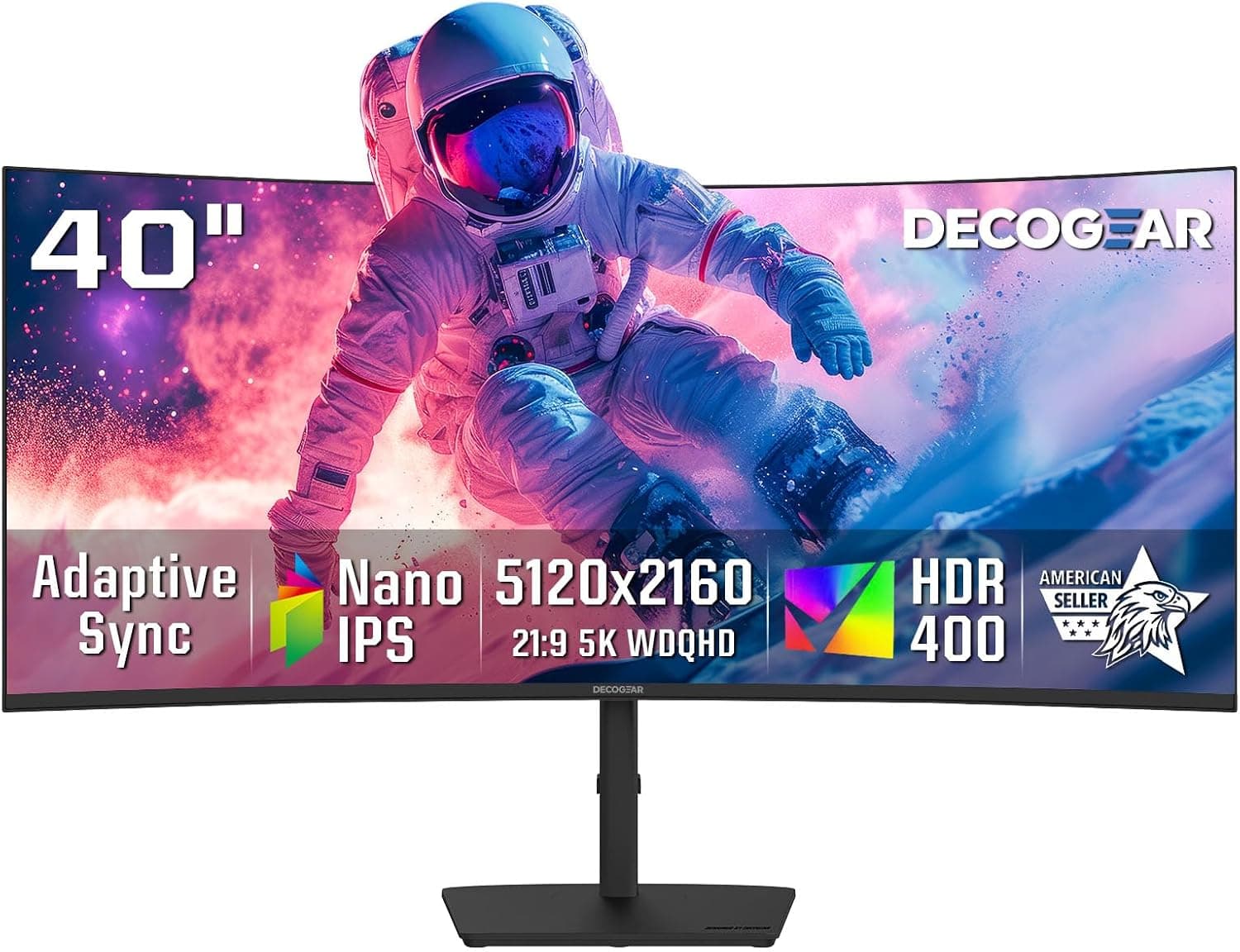
Reviewers repeatedly call it excellent value for a large ultrawide, praising the sharp, colorful picture and seamless multi-tasking on one big curved screen.
30秒でわかる要点
ユーザーが気に入っている点
Reviewers repeatedly call it excellent value for a large ultrawide, praising the sharp, colorful picture and seamless multi-tasking on one big curved screen.
主な注意点
One buyer's 240Hz panel only reached 144Hz despite cable swaps; another says it wouldn't work with a MacBook, and one needed color corrections.
選ぶ前に
Reviewers note auto-detection may need manual setup, and one found it wouldn't work with Macs, so confirm your system supports the resolution and refresh rate.
同カテゴリーのレビュー数が多い類似商品より: KOORUI 24 Inch Gaming Monitor, 180Hz 1080P VA Display with 3000:1 Contrast
ユーザーが気に入っている点
Several reviewers describe the monitor as a strong budget purchase, citing impressive specs for the money and satisfaction with gaming use.
主な注意点
Several reviewers report the monitor failing or coming apart after months to a couple of years, including a dead screen and a failing power cord.
選ぶ前に
Two reviewers note that setup benefits from adjusting settings in your GPU software, including color, brightness, and VRR.
まずは利用シーンから
15件中132件の言及がネガティブな経験を示しています(11%)。
16件中82件の言及がネガティブな経験を示しています(20%)。
18件中68件の言及がネガティブな経験を示しています(26%)。
5件中35件の言及がネガティブな経験を示しています(14%)。
1件中24件の言及がネガティブな経験を示しています(4%)。
2件中19件の言及がネガティブな経験を示しています(11%)。
31件中71件の言及がネガティブな経験を示しています(44%)。
10件中22件の言及がネガティブな経験を示しています(45%)。
1件のレビューが複数のトピックに言及することがあります。割合は分析対象としたレビューについてのもので、全購入者や商品全体の故障率を表すものではありません。
トレードオフを比較
同じカテゴリの分析済み商品から無作為に選んでいます。商品が異なれば、単純に置き換えられるとは限りません。

LG 24U411A-B 24-inch Full HD (1920 x 1080) IPS Computer Monitor, 120Hz, HDR10, Reader Mode, Flicker Safe, HDMI, Slim Stand Base, Black

Dell 27 Monitor S2725QC, 4K UHD IPS, 120Hz, 99% sRGB, 4ms, FreeSync Premium

34 Inch Curved Ultrawide Gaming Monitor,21:9 WQHD (3440x1440) 165Hz 1ms 1500R Curved Monitor, 120% sRGB, Support Freesync,2 HDMI & 2 DP, Equipped with LED Backlight, VESA Mount (G34WQ)
根拠を確認する
「分析対象」は真正性が確認されたことを意味しません。「フラグ付き」も捏造と証明されたことを意味しません。いずれも分析上の分類です。
参考として3件の抜粋を表示しています。レビュー全体ではありません。
Immersive, high-value ultrawide experience — a standout for home setup
“I recently upgraded my home setup with the Deco Gear 49" Curved Ultrawide Gaming Monitor, and I’m genuinely impressed. As someone who spends long hours at the rig (from sound engineering work to gaming and multitasking), this monitor delivers in multiple dimensions. 👍 What stands out: The sheer screen real-estate is fantastic. With a 49-inch diagonal and a 32:9 aspect ratio, the display fills my peripheral vision in a way dual-monitor setups rarely do. The specs show it’s 3840 × 1080 resolution for this model. Deco Gear +2 Amazon +2 The curvature (1800R) is a welcome touch — it wraps around just enough to feel immersive without being overwhelming. Deco Gear Smooth motion and responsiveness: A 144 Hz refresh rate and a 4 ms response time (in the specs) make gaming, fast-moving visuals, and switching windows feel fluid. Deco Gear Solid color/contrast performance: With VA panel, HDR400 support, and a 3000:1 contrast ratio listed, the image is vibrant and deep. Amazon +1 Great for multitasking: The wide layout means I can have multiple windows (DAW, video editing, web, chat) open side by side without feeling cramped. The aesthetics and build feel good: Clean bezel design, good size for a desktop workstation, and it complements the home setup nicely. 👎 Some caveats: While 3840 × 1080 is a large width, it’s still effectively the resolution of “two full-HD displays side by side” rather than a “4K” width. If you’re used to very high-res displays (4K, 5K), you may notice slightly less sharpness than you anticipated. Tilt only (-5° to +15°) and no height adjustment (in this model) means you’ll want your mounting/desk setup to already be ergonomic. (From the specs: “Tilt / No vertical adjustment”). Deco Gear The size means you do need enough desk depth and space. If you’re too close, sitting back or mounting slightly higher may help for comfort. Some tasks—especially very high fidelity color-critical workflows—may push this beyond what its panel supports compared to high-end professional monitors. But for the price and overall mix of gaming + productivity, it’s a very strong value. 🎯 My verdict: If you’re looking for a monitor that does double duty—immersion for gaming and serious desktop multitasking—and you have the space to accommodate it, the Deco Gear 49″ curved ultrawide is a smart pick. It strikes a sweet spot between value and performance. For my home studio / sound-engineer-at-home setup, it feels like a meaningful upgrade. I’d rate it 4.5 stars out of 5 and recommend it to others in the same boat.”
検出されたシグナル:具体的な記述:quantity, entity, scenario · 言及トピック:monitor quality, value for money, size, multi-tasking · 実体験に基づく自然な文章
THE BEST MONITOR IN IT'S CLASS, ONCE YOU SET EVERYTHING CORRECTLY
“This is the best monitor I've ever owned. It's very easy to set-up with some required study. The graphics card and Windows Operating System are the only obstacles because they will look at it as they see it should be, based on what you used before. Auto-detection at first does not display properly, but it's easy to fix this with the provided instructions, and within Windows. The video card software (I have AMD) will fix itself if you reset the software and allow it to truly see what this monitor does. The refresh rate is 60 Hz by default, but you can easily switch to 75 Hz within Windows. Games see it fine, once you have it set properly. FSX needs to be told about the new screen size, best done through the Aircraft.cfg file. As you play with the built-in monitor settings with the buttons on the bottom right, you can control so many things your head will spin. I did all of this in about 1 hour's time. The only problem I had was trying to read the details of initial construction, especially attaching the stand. Although screw holes are countered to make it easier to figure out, you can still do it wrong if you rush it, like me. You can also wall mount this monitor, but you need additional hardware available on Amazon (usually listed under this monitor as additional items). The packaging was done well, and I could see that UPS didn't use much care getting it to me, and the contents were protected from their lack of concern. "THE WORLD ON TIME" doesn't necessarily mean "In Good Condition", and the manufacturer must know this very well. It only took a few days to arrive, and was on-time as indicated by the original delivery date when I ordered. I use this monitor in my bedroom mainly for Flight Simulation, and now I can see details while lying on my bed a good distance away ... before it was a squinting game. I really don't think any of the issues I've mentioned above should deter anyone from purchasing this monitor, if you want the best of the best, on time, and for an unbeatable price. I'd have to say this monitor is worth at least $100 more than it is being sold for. Take my word for it ... I've been around the block with monitors since day one.”
検出されたシグナル:具体的な記述:process · 言及トピック:monitor quality, easy to set up · 実体験に基づく自然な文章
Excellent Value for a Large Ultrawide Monitor
“I've been very impressed with this 49-inch ultrawide monitor. The display is sharp, the colors look great, and the 32:9 aspect ratio makes multitasking much more efficient. It's perfect for having multiple windows open side by side without needing a second monitor. Setup was straightforward, and the curved screen makes it comfortable to use for long periods. Whether you're working with spreadsheets, editing content, programming, or gaming, this monitor provides plenty of screen space and performs well. For the price, it's an excellent value. I would definitely recommend it to anyone looking for an affordable ultrawide monitor with a large workspace.”
検出されたシグナル:具体的な記述:quantity, scenario, process · 言及トピック:monitor quality, value for money, picture quality, size, easy to set up, multi-tasking, color · 実体験に基づく自然な文章
透明性のある設計