Was Kunden gut finden
Sharp QHD picture and smooth motion
Several reviewers praise the sharp QHD IPS image, good colors, and smooth 200Hz motion for gaming and everyday use.
Unser Kauf-Fazit
Several reviewers praise sharp QHD picture and smooth 200Hz motion, while a few report blank-screen or defective units.
Buyers wanting a sharp QHD gaming monitor with smooth high-refresh motion and good value, used for gaming or everyday work.
Buyers who prioritize long-term reliability and want to avoid the risk of blank-screen or out-of-box display defects.
Die 30-Sekunden-Lektüre
Was Kunden gut finden
Several reviewers praise the sharp QHD IPS image, good colors, and smooth 200Hz motion for gaming and everyday use.
Der wichtigste Vorbehalt
Two reviewers report display failures: one unit was defective out of the box, and another stopped showing an image within a year.
Bevor Sie sich entscheiden
One reviewer notes that the appropriate cables are needed to activate HDR and 2K resolution.
Von einem ähnlichen Produkt mit mehr Bewertungen in dieser Kategorie: KOORUI 24 Inch Gaming Monitor, 180Hz 1080P VA Display with 3000:1 Contrast
Was Kunden gut finden
Several reviewers describe the monitor as a strong budget purchase, citing impressive specs for the money and satisfaction with gaming use.
Der wichtigste Vorbehalt
Several reviewers report the monitor failing or coming apart after months to a couple of years, including a dead screen and a failing power cord.
Bevor Sie sich entscheiden
Two reviewers note that setup benefits from adjusting settings in your GPU software, including color, brightness, and VRR.
Beschreibung
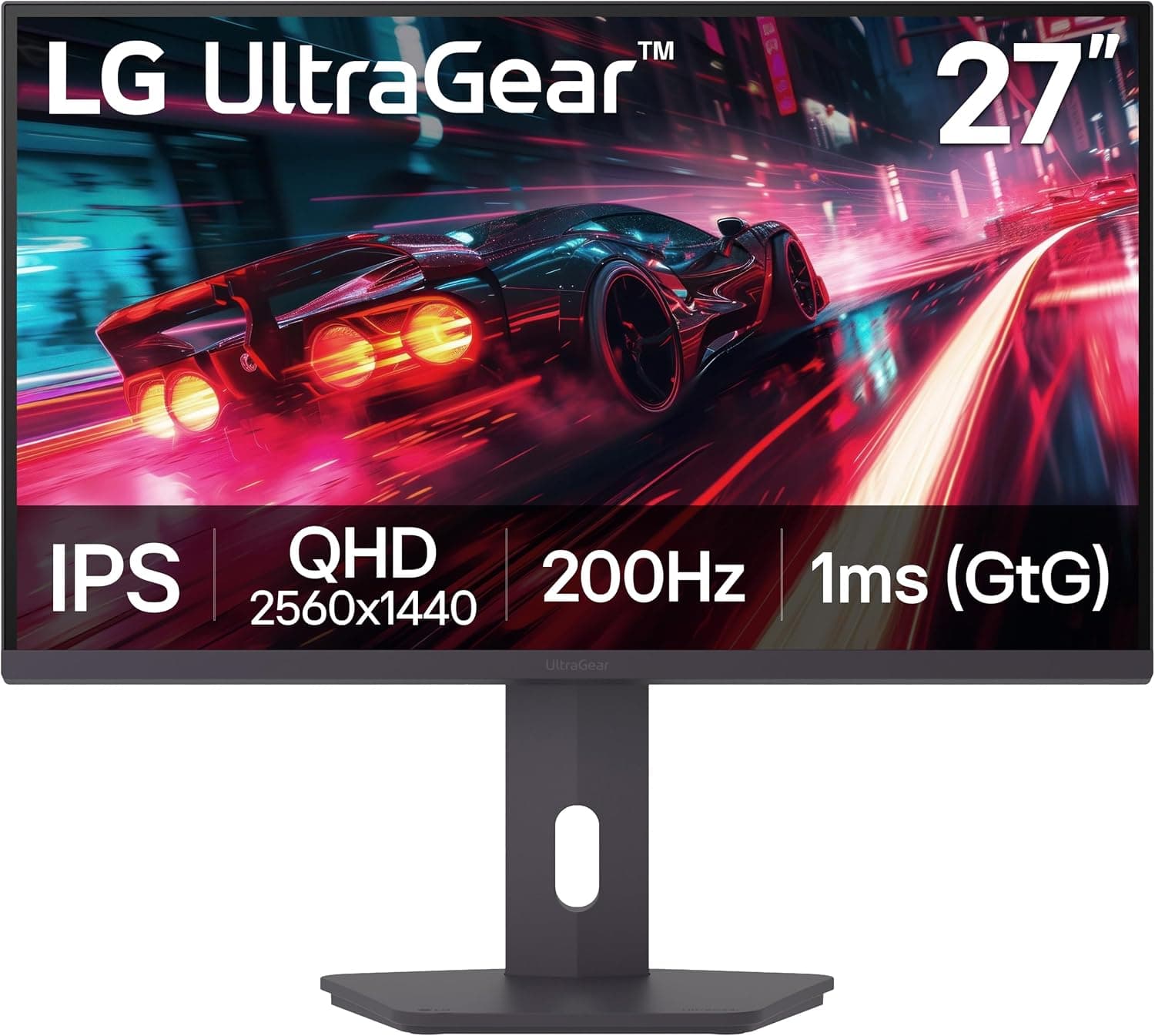
Dominate Every Frame with UltraGear Step up your game with the 27" UltraGear QHD (2560 x 1440) IPS gaming monitor, built for speed, clarity, and precision. VESA DisplayHDR 400 and up to 99% sRGB coverage bring bold color, deeper blacks, and enhanced contrast for breathtaking gameplay visuals. A blazing-fast 200Hz refresh rate and 1ms (GtG) response time keep motion crystal-clear, so every move feels razor sharp. Stay locked in with tear-free performance thanks to AMD FreeSync Premium, delivering fluid action across PC and next-gen consoles. Gain the edge with pro-level gaming features like Dynamic Action Sync, Black Stabilizer, FPS Counter, and Crosshair. UltraGear doesn’t stop at performance—it’s built to play nice with your setup. The slim-bezel design maximizes your view, while the height, tilt, swivel, and pivot adjustable stand customizes the screen to your specs. The Switch app transforms your screen into a multitasking hub, letting you split layouts, stream, or launch calls in seconds. ¹Software installation required. Visit Support on LG.com to download.
Vor- und Nachteile vergleichen
Eine zufällige Auswahl analysierter Produkte aus derselben Kategorie. Unterschiedliche Produkte sind nicht zwangsläufig austauschbar.

VILVA Portable-Monitor-for-Lapto - 15.6'' 1080P FHD IPS Display USB-C HDMI Portable Monitor for Laptop with Cover and Speakers External Monitor for Laptop/PC/Mac/Phone/Xbox Switch/PS4/

BenQ GW2790 Computer Monitor 27" FHD 1920x1080p | IPS | 100 hz | Eye-Care Tech | Low Blue Light | Anti-Glare | Adaptive Brightness | Tilt Screen | Built-in Speakers | DisplayPort | HDMI x2

Acer Vero 22" FHD 100Hz FreeSync Monitor
Belege prüfen
Einbezogen bedeutet nicht als authentisch bestätigt. Markiert bedeutet nicht als Fälschung nachgewiesen. Dies sind analytische Einordnungen.
3 veranschaulichende Auszüge werden angezeigt, nicht der gesamte Rezensionsbestand.
Backlight turns on, but no image. Broken warranty process.
“The monitor worked fine at first, but less than a year in (around 3,000 power-on hours), it completely stopped displaying an image reliably. The backlight powers on, but the screen stays totally blank for up to 35 minutes before the hardware finally warms up enough to display anything. This is a clear manufacturing defect/bad capacitor issue. Worse, LG's online warranty email service is completely broken. They deliberately force you to deal with a live agent just to get a basic prepaid shipping sticker for a covered factory defect. Absolute headache of a product and service. Avoid.”
Erkannte Signale: Konkretes Detail: quantity, process · Liest sich wie eine authentische Stimme
Sharp QHD picture, very smooth at 200Hz
“Excellent monitor for the price. The 27" QHD IPS panel is sharp, with great colors and wide viewing angles. At 200Hz the motion is very smooth, and the 1ms response keeps fast scenes clear with no noticeable ghosting. FreeSync worked without any setup and I haven’t seen tearing. Setup was easy, and the stand feels sturdy. Works great for gaming and everyday work alike.”
Erkannte Signale: Konkretes Detail: quantity, entity, scenario, process · Liest sich wie eine authentische Stimme
Defective out the box..
“I’ve only had this monitor for two days and already defective… half of the screen turned grey, I’ve checked connections, used brand new hdmi cables and nothing. Not happy with this monitor.”
Erkannte Signale: Konkretes Detail: quantity, process · Liest sich wie eine authentische Stimme
Eine Sache weniger zu suchen
Yes — as long as your GPU can push 1440p frames, you'll get the full 200Hz over DisplayPort (HDMI caps lower on some consoles). PS5 and Xbox Series X support 1440p output, and AMD FreeSync Premium keeps things tear-free. One tip from Reddit: you may need to manually set 200Hz in Windows display settings, since it doesn't always default to the max refresh rate out of the box.
It's honest entry-level HDR. VESA DisplayHDR 400 adds brightness and a bit of contrast punch, but it won't match a true HDR TV or OLED — several YouTube reviewers call it "nice to have, not a reason to buy." Most owners leave HDR off for competitive gaming and enjoy the vivid 99% sRGB IPS panel instead, which looks great on its own.
The included stand is a highlight — full height, tilt, swivel, and pivot adjustment is rare at this price, and it's VESA-compatible if you'd rather use a monitor arm. The main caveat, echoed across Reddit and TikTok, is that the legs have a wide footprint and the panel can wobble slightly during intense mouse flicks. If desk space is tight, plan on a VESA mount.
You get the monitor, stand, and power cable; a DisplayPort or HDMI cable is typically included depending on the listing, but it's worth confirming before checkout. There's no USB-C or USB hub, so laptop users should budget for a dongle or dock — a common complaint in reviews. There is a 3.5mm headphone jack and a cable-routing hole in the stand to keep things tidy.
It's ideal for competitive FPS players, first-time QHD upgraders, students, and console gamers who want smooth, colorful 1440p without overspending. Skip it if you need serious HDR, USB-C docking, or a tiny desk footprint — content creators and HDR enthusiasts are the most common regret stories. For pure price-to-performance in its class, most buyers call it excellent value.
Von einem ähnlichen Produkt mit mehr Bewertungen in dieser Kategorie: KOORUI 24 Inch Gaming Monitor, 180Hz 1080P VA Display with 3000:1 Contrast
Yes — it's a native 180Hz panel, but you'll need to switch it on manually. Connect via the included HDMI cable (or a DisplayPort-capable setup), then set 180Hz in your GPU's display settings; it defaults to a lower refresh rate out of the box. Many Reddit and YouTube users note that enabling Adaptive Sync/FreeSync alongside it gives the smoothest experience, and it works with both AMD and NVIDIA cards.
The 3000:1 contrast gives noticeably deeper blacks than typical IPS budget monitors, which shines in dark game scenes and movies. For fast-paced competitive shooters, some TikTok and Reddit users mention mild ghosting/smearing in dark transitions — it's great for casual gaming, students, and office work, but color-critical creators or hardcore FPS players may prefer an IPS panel.
Correct, the included stand only tilts (-5° to 20°) and doesn't offer height, swivel, or pivot adjustment, and a few users find the base slightly wobbly. The good news: it's VESA 100×100mm compatible, so a monitor arm or desk mount solves ergonomics entirely — a popular fix among dual-monitor and dorm-room setups.
Budget monitors can vary unit to unit, and some buyers report stuck pixels or corner bleed — but KOORUI backs it with a 3-year manufacturer warranty. If your unit arrives defective, contact the seller for a replacement or refund promptly; most users who did so report a smooth resolution, so inspect the screen within the return window.
At around $120, it's widely praised as one of the best budget 180Hz options — ideal for students, casual gamers, home-office users, and compact or dual-monitor setups. Just set expectations: no built-in speakers, a single HDMI plus VGA, and basic ergonomics. If you need height adjustment, color accuracy, or built-in audio, consider spending more on an IPS alternative.
Die Antworten beschränken sich auf das Angebot des Herstellers und die von uns analysierten Rezensionen. Fragen, die diese Quellen nicht abdecken, werden hier nicht beantwortet.
Transparent von Grund auf