Was Kunden gut finden
Good picture and value
Several reviewers call the picture clear and sharp, with decent colours and brightness, and consider it good value for the price.
Unser Kauf-Fazit
Several reviewers find the picture clear and good value, but build quality, stand limitations, and input confusion recur.
Buyers seeking an affordable, lightweight Full HD monitor for basic computer or office use who can accommodate the stand and check the ports and power plug before buying.
Buyers who need a height-adjustable or tiltable stand, guaranteed working ports out of the box, or a monitor suited to colour-critical or gaming use.
Die 30-Sekunden-Lektüre
Was Kunden gut finden
Several reviewers call the picture clear and sharp, with decent colours and brightness, and consider it good value for the price.
Der wichtigste Vorbehalt
Several reviewers report dead ports, no image, or HDR/HDMI failures, though some received refunds or replacements.
Bevor Sie sich entscheiden
Two reviewers note there are no built-in speakers; one mentions a 3.5mm headphone socket instead.
Von einem ähnlichen Produkt mit mehr Bewertungen in dieser Kategorie: KOORUI 24 Inch Gaming Monitor, 180Hz 1080P VA Display with 3000:1 Contrast
Was Kunden gut finden
Several reviewers describe the monitor as a strong budget purchase, citing impressive specs for the money and satisfaction with gaming use.
Der wichtigste Vorbehalt
Several reviewers report the monitor failing or coming apart after months to a couple of years, including a dead screen and a failing power cord.
Bevor Sie sich entscheiden
Two reviewers note that setup benefits from adjusting settings in your GPU software, including color, brightness, and VRR.
Beschreibung
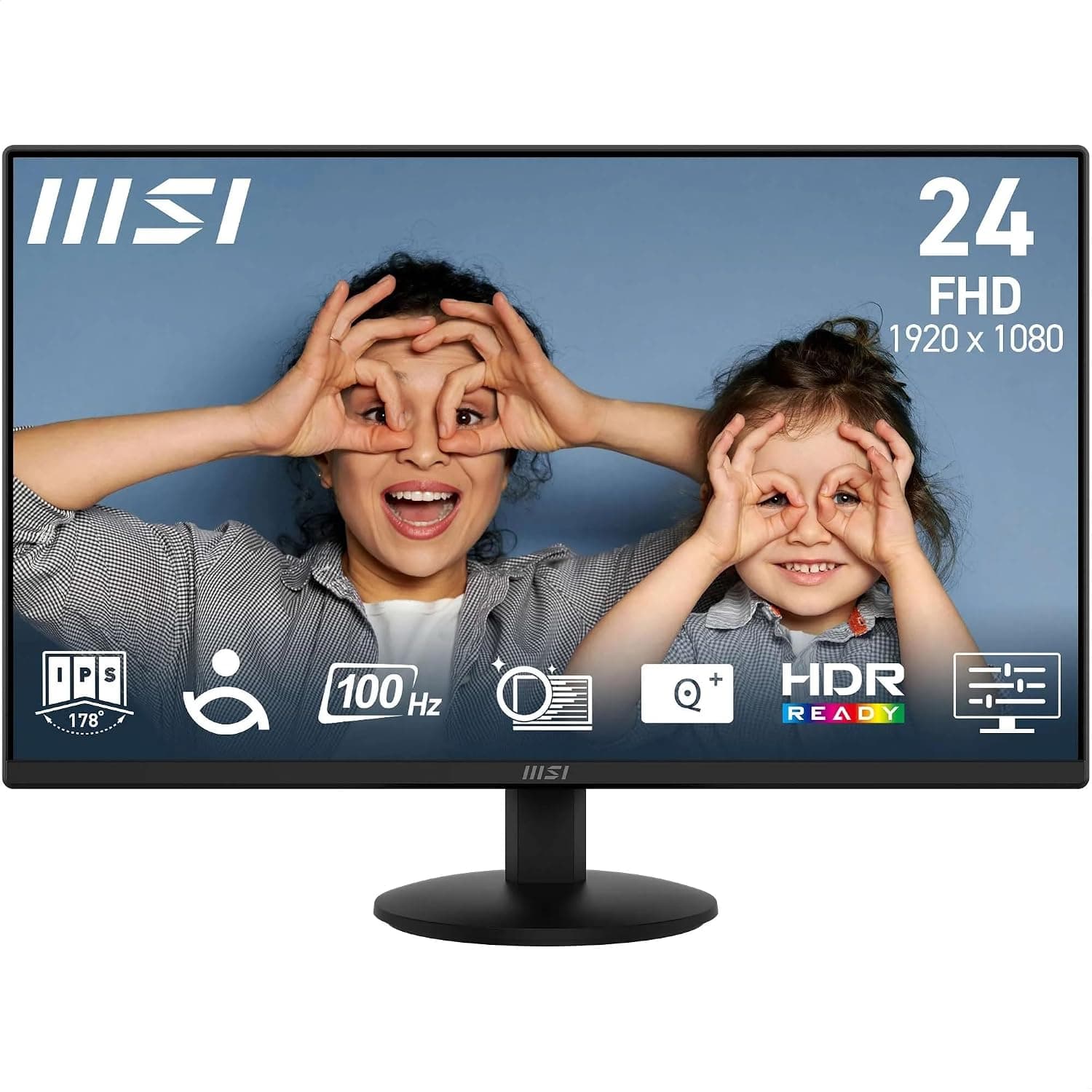
PRO MP242L 24" / IPS / 1920 x 1080 (FHD) / Adaptive-Sync / HDR Ready/ 100HZ / 1ms (MPRT) / 4ms (GTG) / NO VESA
Vor- und Nachteile vergleichen
Eine zufällige Auswahl analysierter Produkte aus derselben Kategorie. Unterschiedliche Produkte sind nicht zwangsläufig austauschbar.

kksmart Portable Monitor for Laptop MacBook Surface PC Xbox PS5, Travel Monitor Second Screen for Laptop, HDMI USB-C VESA Compatible Built-in Speaker, 15.6inch

KTC 32 Inch 2K Computer Monitor, QHD 120Hz Monitor with IPS Panel, White

BenQ GW2790 Computer Monitor 27" FHD 1920x1080p | IPS | 100 hz | Eye-Care Tech | Low Blue Light | Anti-Glare | Adaptive Brightness | Tilt Screen | Built-in Speakers | DisplayPort | HDMI x2
Belege prüfen
Einbezogen bedeutet nicht als authentisch bestätigt. Markiert bedeutet nicht als Fälschung nachgewiesen. Dies sind analytische Einordnungen.
3 veranschaulichende Auszüge werden angezeigt, nicht der gesamte Rezensionsbestand.
Full HD. Great value for money.
“Great value for money. Decent quality, full HD display with a wide viewing angle. Very slim bezel. Colours are decent (not professional level but excellent for the price point) and brightness is good enough for use in a lit room. Black levels and contrast are what you'd expect from an IPS display. No dead pixels. No built-in loudspeaker but a 3.5mm headphone socket on the back. No camera or USB hub. 1 HDMI and 1 Display Port input. There's a single control at the back in the form of a joystick: up, down, left, right to bring up and select from the on screen menu; press in to select/confirm choices and to turn the power on or off. This is slightly inconvenient because pushing it in actually tries to push the screen towards your face and the tendency is to put your thumb on the front of screen to resist it, which leaves a mark. There's no built in power supply - just a 12V DC socket and a wall wart external PSU - but that keeps the monitor slim and inexpensive. The stand has very limited adjustment - just a small amount of backward tilt - but it's pretty sturdy. Powered off it's black and not unattractive. The thin bezel and low cost makes it perfectly feasible to have two of them side by side for more desktop space.”
Erkannte Signale: Konkretes Detail: entity, quantity · Liest sich wie eine authentische Stimme
Flimsy and with a wall wart PSU.
“This item seems ok if a little flimsy but it's cheap and I suppose that you get what you pay for. The thing I particularly dislike is that it is powered using a wall wart psu. Nobody mentioned this as far as I am aware or I would not have bought it. The picture clarity is alright but in future I will go back to ordering BenQ screens as the build quality is better and they don't have the annoyance of a separate power supply. I would like to add that there appears to be no power LED. The on line manual is next to useless and the multi function menu button on the rear of the screen is a pain. Avoid.”
Erkannte Signale: Konkretes Detail: comparison, entity · Liest sich wie eine authentische Stimme
I'm really happy with this monitor, especially since it's a great deal for the price
“I'm really happy with this monitor, especially since it's a great deal for the price. The picture is honestly awesom the graphics are super sharp, colors look great, and everything runs smooth whether I’m on my PC or hooked up to my Xbox and PlayStation. The build quality feels solid too. It even came with an HDMI cable in the box, so I could get it set up right away. The only downside is that there are no speakers, so you'll need to use your own for sound. Overall though, it's a great monitor for the money.”
Erkannte Signale: Konkretes Detail: scenario, entity · Liest sich wie eine authentische Stimme
Eine Sache weniger zu suchen
No — the PRO MP242L has no VESA mounting holes, so monitor arms and wall brackets aren't an option out of the box. This is the single most common complaint in user discussions, with many buyers saying they wish it had been clearer before purchase. If mounting flexibility matters to you, look at VESA-compatible MSI PRO models instead; otherwise, the included stand offers tilt only.
The stand supports tilt but not height, swivel, or pivot, and several reviewers describe it as basic rather than premium. For a fixed desk position it's perfectly usable, but if you need ergonomic height adjustment, plan on a riser or choose a model with a fully adjustable stand — just remember this one can't be swapped onto an arm due to the missing VESA pattern.
Yes — users consistently say the 100Hz refresh rate feels noticeably smoother than 60Hz for scrolling, spreadsheets, and casual gaming, and FreeSync is compatible with supported AMD cards (and generally works with NVIDIA via Adaptive-Sync on compatible drivers). Just keep expectations realistic: the "1ms" figure is MPRT marketing, and the real GTG response is 4ms, so it's a smooth office panel rather than a competitive gaming monitor.
At 250 nits, it's comfortable for typical indoor lighting and long work sessions, but TikTok and forum users note it can look washed out in very bright rooms or directly beside a window. The matte finish helps cut glare, and "HDR Ready" means it accepts an HDR signal rather than delivering true HDR impact — so if your desk gets strong daylight, consider a brighter 300+ nit panel.
It's an excellent fit for students, home-office workers, and budget-conscious buyers who want a sharp 24" IPS 1080p screen with smooth 100Hz refresh for everyday work and light gaming — reviewers repeatedly call it great value for the price. Connectivity includes HDMI and D-Sub (VGA), so check which cable is included with your specific listing and confirm your device's ports before ordering; if you need DisplayPort, height adjustment, or VESA mounting, a step-up model is the safer choice.
Von einem ähnlichen Produkt mit mehr Bewertungen in dieser Kategorie: KOORUI 24 Inch Gaming Monitor, 180Hz 1080P VA Display with 3000:1 Contrast
Yes — it's a native 180Hz panel, but you'll need to switch it on manually. Connect via the included HDMI cable (or a DisplayPort-capable setup), then set 180Hz in your GPU's display settings; it defaults to a lower refresh rate out of the box. Many Reddit and YouTube users note that enabling Adaptive Sync/FreeSync alongside it gives the smoothest experience, and it works with both AMD and NVIDIA cards.
The 3000:1 contrast gives noticeably deeper blacks than typical IPS budget monitors, which shines in dark game scenes and movies. For fast-paced competitive shooters, some TikTok and Reddit users mention mild ghosting/smearing in dark transitions — it's great for casual gaming, students, and office work, but color-critical creators or hardcore FPS players may prefer an IPS panel.
Correct, the included stand only tilts (-5° to 20°) and doesn't offer height, swivel, or pivot adjustment, and a few users find the base slightly wobbly. The good news: it's VESA 100×100mm compatible, so a monitor arm or desk mount solves ergonomics entirely — a popular fix among dual-monitor and dorm-room setups.
Budget monitors can vary unit to unit, and some buyers report stuck pixels or corner bleed — but KOORUI backs it with a 3-year manufacturer warranty. If your unit arrives defective, contact the seller for a replacement or refund promptly; most users who did so report a smooth resolution, so inspect the screen within the return window.
At around $120, it's widely praised as one of the best budget 180Hz options — ideal for students, casual gamers, home-office users, and compact or dual-monitor setups. Just set expectations: no built-in speakers, a single HDMI plus VGA, and basic ergonomics. If you need height adjustment, color accuracy, or built-in audio, consider spending more on an IPS alternative.
Die Antworten beschränken sich auf das Angebot des Herstellers und die von uns analysierten Rezensionen. Fragen, die diese Quellen nicht abdecken, werden hier nicht beantwortet.
Transparent von Grund auf