What people like
Easy multi-monitor setup
Several reviewers found the dock easy to set up and useful for running multiple monitors and peripherals, with sturdy build quality.
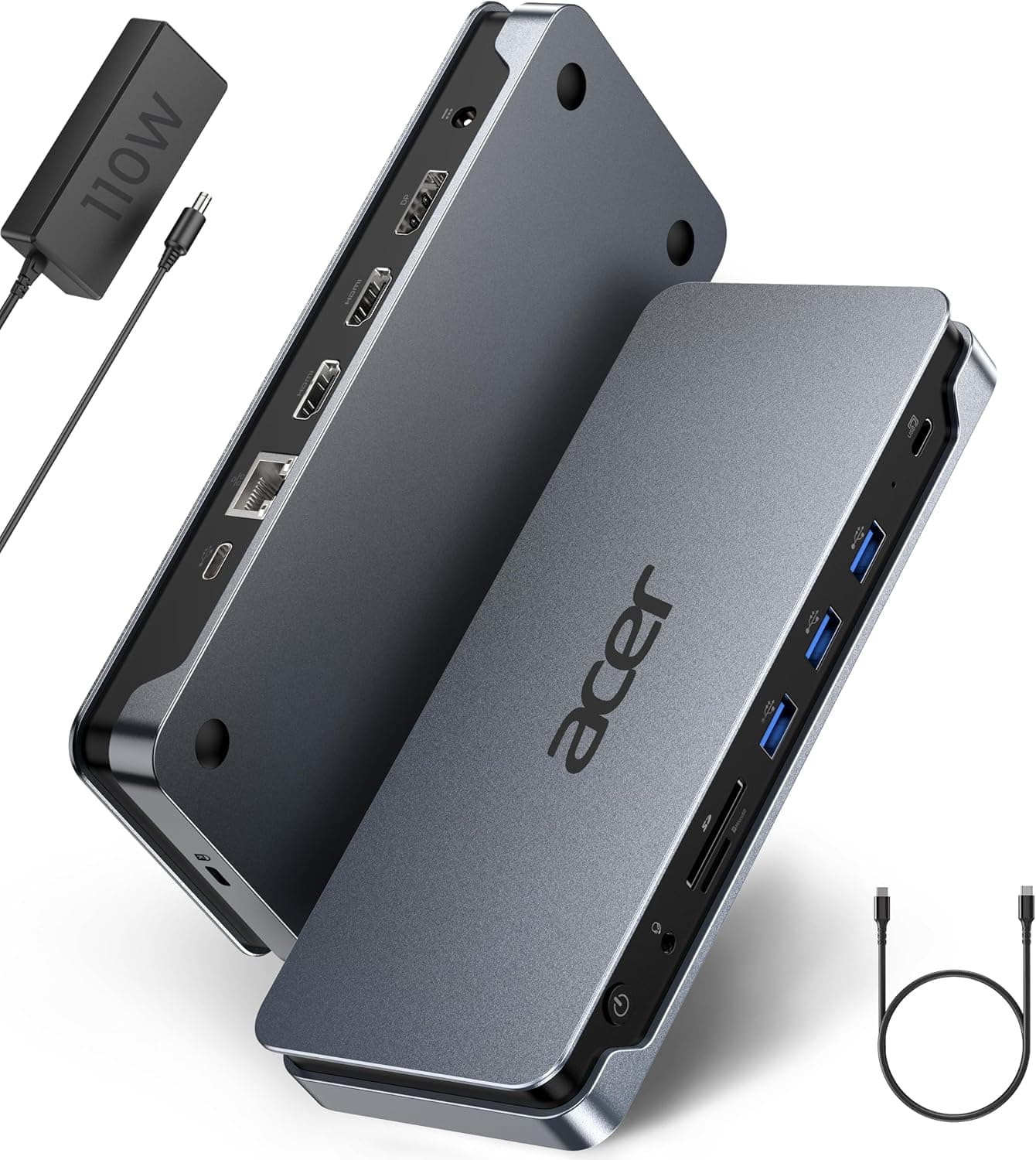
Our buying verdict
Works well for some multi-monitor setups, but several reviewers report early failures and wake issues
Buyers who want an easy plug-and-play multi-monitor dock for a laptop and can accept some risk of early failure.
Buyers who need reliable wake-from-sleep behavior or three HDMI monitor connections without adapters.
The 30-second read
What people like
Several reviewers found the dock easy to set up and useful for running multiple monitors and peripherals, with sturdy build quality.
The main watch-out
Several reviewers reported the dock stopped working or displaying after roughly one to two months, including one unit that failed shortly after arrival.
Before you choose
One reviewer noted the dock does not wake a sleeping PC, requiring sleep and hibernate to be disabled as a workaround.
From a similar, more-reviewed product in this category: USB C Laptop Docking Station Dual Monitor HDMI USB C Hub Multiport Adapter
What people like
Reviewers value the wide port selection (HDMI, DisplayPort, VGA, Ethernet, SD, USB-A, headphone jack) and report it works reliably across Lenovo, HP, Microsoft, and Asus laptops, with some buying a second unit.
The main watch-out
Some users report the monitor going black when bumped, intermittent disconnects, or the internals sliding out of the case, and one Lenovo laptop would not boot while connected.
Before you choose
Compatibility varies by laptop model, and some users note the dock gets warm or has a shorter cable, so confirm your specific setup and required ports before buying.
Description
13 IN 1 2 Need Help? 3 Important Notes Previous page Next page 1 For MacOS 2 For Windows 3 For Windows MST Mode 1 4 For Windows MST Mode 2 5 For Windows MST Mode 3 Previous page Next page 1 Fast Charging 2 5 Gbps Transfer 3 Ethernet & 3.5 Audio 4 SD Card Reader Previous page Next page 1 Q & A 2 What's in the Box 3 Acer Gadget
Compare the trade-offs
A random selection of analyzed products from the same category. Different products are not necessarily interchangeable.

Docking Station Dual Monitor, WAVLINK Displayport Docking Station with Dual DP, HDMI, 100W PD in, 10Gbps USB A/C, 2.5G Ethernet Port for Dell/HP/Lenovo etc, Windows Systerm Computer Only

iVANKY 14-in-1 RGB Docking Station for ROG Xbox Ally X(2025)/X20, 4K@120Hz

UGREEN USB C Hub 5 in 1 Multiport Adapter Revodok 105 4K HDMI, 100W Power Delivery, 3 USB-A Data Ports, USB C Dongle for MacBook Pro/Air, iPad Pro, iMac, iPhone 16 Pro/Pro Max, XPS, Thinkpad
Check the evidence
Included does not mean verified authentic. Flagged does not mean proven fake. These are analytical classifications.
Showing 3 illustrative excerpts, not the complete review set.
Excellent investment for those who don't have the ports you want and/or need more ports.
“After plugging it in and trying it, I found more pros than cons. Everything is intuitive and worked great out of the box. This device is perfect for a no-brainer plug-and-play setup. The product and all included parts seem sturdy and of good quality. I never found any increase in heat when touching the product during operation. As a few others said, the hefty power brick and its cords are a plus for quality and durability, making this a pro for semi-permanent setups and a con for those hoping to travel light. Technically, this doesn't reduce portability other than needing to connect to an AC power outlet. Another pro is that it charged my computer well during use, and the USB-4 cord it came with freed up my USB-C/Lightning port, which is normally dedicated to charging only, but now has multifunction capacity. I liked that it provides my computer with an Ethernet connection, which is a pro if you are worried about getting hacked while using a wireless connection. I don't use Apple products, so compatibility isn't an issue for me. My only suggestion would be to swap one USB-A port for another USB-C port. That said, my Samsung GalaxyBook5 has a microSD card reader, a 3.5mm headphone/microphone combo jack, 2x Thunderbolt-4 ports, and an HDMI 2.1 port, so I already had the ability to connect to external displays (and other peripherals) before buying this product. Ultimately, I come back to the bottom line I started with: If you need certain ports your current computer/laptop doesn't have, or if you need more ports to connect multiple outputs and peripherals, this is an excellent investment.”
Signals matched: Specific detail: process, scenario · Reads as an authentic voice
**Premium Build, Great Connectivity, and Excellent Value for Money**
“Acer is a well-known brand, and this docking station definitely lives up to the name. The build quality is excellent, with a solid metallic case that feels sturdy and premium. I’ve used it with both Samsung and Dell laptops, and it has worked as expected. The included USB-C cable is braided, feels high-quality, and supports Thunderbolt. It’s also long enough to place the docking station a little farther away from your laptop, giving you more flexibility in setting up your desk. I connected both an ultrawide monitor and a regular monitor, and both worked perfectly at 4K resolution. Another great feature is that it charges the laptop while connected, so a single cable takes care of both charging and connecting your peripherals. The port placement is also well thought out. Frequently used ports, such as USB and micro SD, are conveniently located on the front, making it easy to connect and disconnect devices whenever needed. Overall, this is a great docking station for anyone looking for premium build quality, reliable performance, and useful features from a well-known brand without paying a premium price. I would definitely recommend it.”
Signals matched: Specific detail: entity, comparison, scenario · Reads as an authentic voice
Does not
“It is terrible, bought September 9th and it died Oct 27th. My screen started shutting off (2 monitor setup) one screen would shut off and then the other. Sometimes they would shut off at the same time. Was everyone in a while then started happing sooner. I change HDMI’s and it didn’t help. It finally stopped working and I had an old station that I replaced this one with and they came back in and everything worked as it should except the old one would only support 1 4k monitor at once. It is terrible that you only get 2 months of use.”
Signals matched: Specific detail: process, scenario, entity · Reads as an authentic voice
One less thing to search
On macOS, it mirrors across multiple displays — extended desktop mode isn't supported due to Apple's system limitations. Full triple-display *extension* is a Windows feature (via MST). Many Mac users on Reddit flagged this as a surprise, so if extended multi-screen is essential for you, a DisplayLink-based dock is the better fit.
Triple 4K @ 30Hz requires your laptop's GPU to support Display Stream Compression (DSC). Without DSC, you'll still get triple displays but at lower resolutions or refresh rates. A quick check of your laptop's specs before buying saves a lot of guesswork — several YouTube reviewers stressed this exact point.
No — that rear USB-C port is **data transfer only**. It doesn't support video output, monitor power, or Thunderbolt devices. For displays, use the 2x HDMI or 1x DisplayPort. This is the single most common "gotcha" mentioned in user complaints, so plan your monitor connections accordingly.
Yes — it delivers up to 100W of Power Delivery to your host laptop through the USB-C host port, which is enough for most productivity laptops even under sustained triple-monitor workloads. Note that this power is *only* for your laptop; external monitors and power-hungry peripherals still need their own power sources. High-draw gaming laptops may charge more slowly.
It's a strong value for Windows users who want triple video, Gigabit Ethernet, SD/TF readers, audio, and 100W charging in one aluminum body — with the 110W adapter included, which many competitors charge extra for. It's ideal for office, hybrid, and dorm setups (the security slot is a nice bonus). Mac users wanting extended multi-display, or anyone without DSC support, should weigh alternatives first. Most buyers describe it as "does exactly what I needed" — just verify your laptop's compatibility before checkout.
From a similar, more-reviewed product in this category: USB C Laptop Docking Station Dual Monitor HDMI USB C Hub Multiport Adapter
It is compatible with laptops that have a full-featured USB-C port supporting DisplayPort, charging, and data transfer, such as Thunderbolt 3/4/5 or USB-C 3.2 Gen 1/Gen 2 with Power Delivery and DisplayPort. Not all USB-C devices are compatible, and incompatible devices cannot use the HDMI, DP, or VGA ports.
It supports dual monitors and triple displays for Windows, with single HDMI 1 or DisplayPort up to 4K@60Hz and HDMI 2 up to 4K@30Hz. MacBook laptops only support the same image on external monitors.
Yes, it has a 100W USB-C Power Delivery port, but the safe power out is limited to 87W, and about 8W is allocated to the hub itself. A power charger and cable are not included, and at least a 65W adapter is recommended.
Experiences vary: one reviewer said it disconnects or does not work off and on and that the insides came apart, while another said bumping it can make the monitor go black for a second or two. Others reported it works well, including one who bought a second one.
One reviewer noted it gets a little warm, and the listing states the hub will heat up when it works, with 0℃–50℃ being the normal and reasonable range.
Answers are limited to the manufacturer's listing and the reviews we analysed. Questions those sources cannot support are not answered here.
Transparent by design