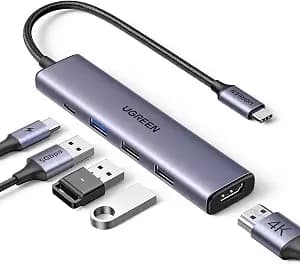
UGREEN USB C Hub 5 in 1 Multiport Adapter Revodok 105 4K HDMI, 100W Power Delivery, 3 USB-A Data Ports, USB C Dongle for MacBook Pro/Air, iPad Pro, iMac, iPhone 16 Pro/Pro Max, XPS, Thinkpad
Description
5 in 1 Connectivity: The USB C Multiport Adapter is equipped with a 4K HDMI port, a 100W USB C PD port, a 5 Gbps USB A data port, and two 480 Mbps USB A ports; 100W Charging: Support up to 95W USB C pass-through charging via Type-C port to keep your laptop powered. 5W is reserved for other interface operations. When demonstrating screencasting or transferring files, please do not plug or unplug the PD charger to avoid loss of images or data.; 4K Stunning Display: The HDMI port supports media display at resolutions up to 4K 30Hz, keeping every incredible moment detailed and ultra vivid. Please note that the C port of the Host device needs to support video output; Transfer Files in Seconds: Transfer files and from your laptop at speeds up to 5 Gbps with USB A 3.0 port. Extra 2 USB A 2.0 ports are perfectly for your keyboards and mouse. Compatible with flash/hard/external drive. The USB 3.0/2.0 port is mainly used for data transmission. Charging is not recommended.; Broad Compatibility: Plug and play for multiple operating systems,including Windows, MacOS, Linux.The USB C Dongle is compatible with almost USB-C devices such as MacBook Pro, MacBook Air, MacBook M1, M2,M3, iMac, iPad Pro, Chromebook, Surface, XPS, ThinkPad, iPhone 15 Galaxy S23, etc
Compare the trade-offs
Similar products, side by side
A random selection of analyzed products from the same category. Different products are not necessarily interchangeable.
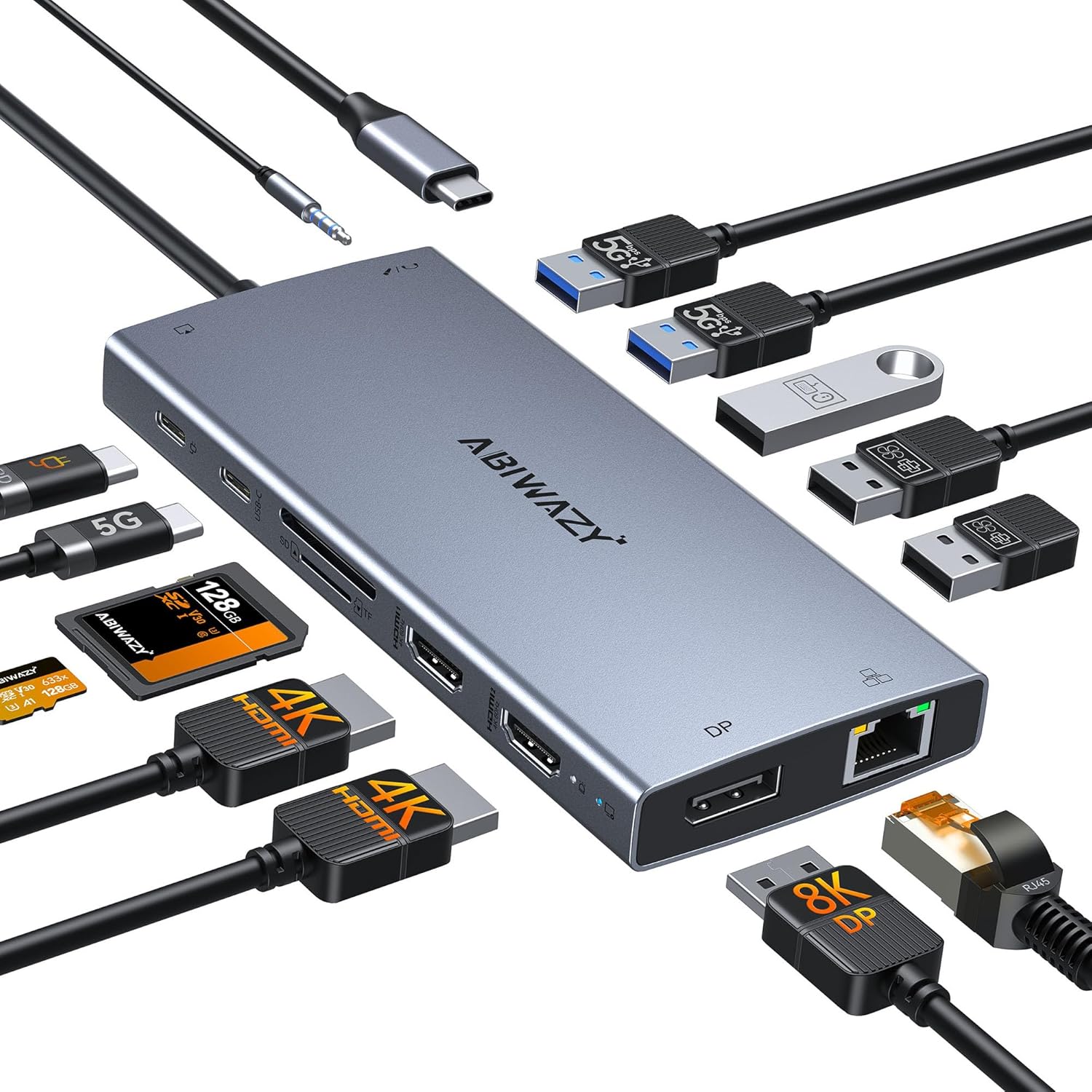
USB C Docking Station Dual Monitor, ABIWAZY 15 in 1 Laptop Docking Station

iVANKY 14-in-1 RGB Docking Station for ROG Xbox Ally X(2025)/X20, 4K@120Hz

Docking Station Dual Monitor, WAVLINK Displayport Docking Station with Dual DP, HDMI, 100W PD in, 10Gbps USB A/C, 2.5G Ethernet Port for Dell/HP/Lenovo etc, Windows Systerm Computer Only
One less thing to search
Before you buy: quick questions
I need to connect two external monitors. Is this the right hub for me?
Unfortunately, no. This hub has only one HDMI port, so it supports a single external display. Many users looking for a dual-monitor setup have pointed this out. If that's your goal, you'll need to look for a docking station or hub specifically advertised as supporting dual monitors via HDMI or DisplayPort.
Does it get hot, and is that normal?
It's common for compact hubs to generate some heat during use. According to user feedback, this hub can become quite warm to the touch when you're using multiple ports at full capacity—like charging your laptop *and* outputting to a 4K monitor. This is generally considered normal operation and not a defect, but it's a good idea to ensure it has some airflow and isn't covered.
Can the 100W Power Delivery port charge my phone and laptop quickly?
It's important to clarify: the 100W Power Delivery (PD) is exclusively for charging your host laptop (like a MacBook Pro) through the hub's connection. The three standard USB-A ports do not support fast charging protocols for phones. As some TikTok users have mentioned, your phone will charge at standard speeds from the USB-A ports. For fast phone charging, you'd need a separate charger or a hub with dedicated fast-charge USB ports.
How does the build quality hold up over time, especially for travel?
The all-metal casing is one of its most praised features. Reviews consistently highlight its solid, premium feel that stands up well to being tossed in a bag. It's noticeably more robust than many plastic alternatives. For added protection, some packages include a travel pouch, though availability can vary.
I have a wider USB flash drive. Can I use all three USB-A ports at once?
This is a common design constraint noted in reviews. The USB-A ports are placed very close together. While you can certainly use all three with standard-sized USB sticks, if you have a bulky flash drive or a wireless mouse dongle with a wide body, it may physically block the adjacent port. It's best for standard-sized peripherals.
From a similar, more-reviewed product in this category: USB C Laptop Docking Station Dual Monitor HDMI USB C Hub Multiport Adapter
Will this docking station work with my laptop?
It is compatible with laptops that have a full-featured USB-C port supporting DisplayPort, charging, and data transfer, such as Thunderbolt 3/4/5 or USB-C 3.2 Gen 1/Gen 2 with Power Delivery and DisplayPort. Not all USB-C devices are compatible, and incompatible devices cannot use the HDMI, DP, or VGA ports.
Can I use it with multiple monitors?
It supports dual monitors and triple displays for Windows, with single HDMI 1 or DisplayPort up to 4K@60Hz and HDMI 2 up to 4K@30Hz. MacBook laptops only support the same image on external monitors.
Does it charge my laptop while I use the other ports?
Yes, it has a 100W USB-C Power Delivery port, but the safe power out is limited to 87W, and about 8W is allocated to the hub itself. A power charger and cable are not included, and at least a 65W adapter is recommended.
Do reviewers find it reliable?
Experiences vary: one reviewer said it disconnects or does not work off and on and that the insides came apart, while another said bumping it can make the monitor go black for a second or two. Others reported it works well, including one who bought a second one.
Does it get hot during use?
One reviewer noted it gets a little warm, and the listing states the hub will heat up when it works, with 0℃–50℃ being the normal and reasonable range.
Answers are limited to the manufacturer's listing and the reviews we analysed. Questions those sources cannot support are not answered here.
Transparent by design