What people like
Works well for dual monitors
Reviewers report it works right out of the box for laptops and multiple monitors, making it a great choice for work-from-home setups.
The 30-second read
What people like
Reviewers report it works right out of the box for laptops and multiple monitors, making it a great choice for work-from-home setups.
Before you choose
The USB-C port won't charge devices without an external power supply, which isn't included. Dual monitors work best with Windows OS.
The main watch-out
Several users note the hub gets warm or very hot during use, and one wished for a longer cable.
From a similar, more-reviewed product in this category: USB C Laptop Docking Station Dual Monitor HDMI USB C Hub Multiport Adapter
What people like
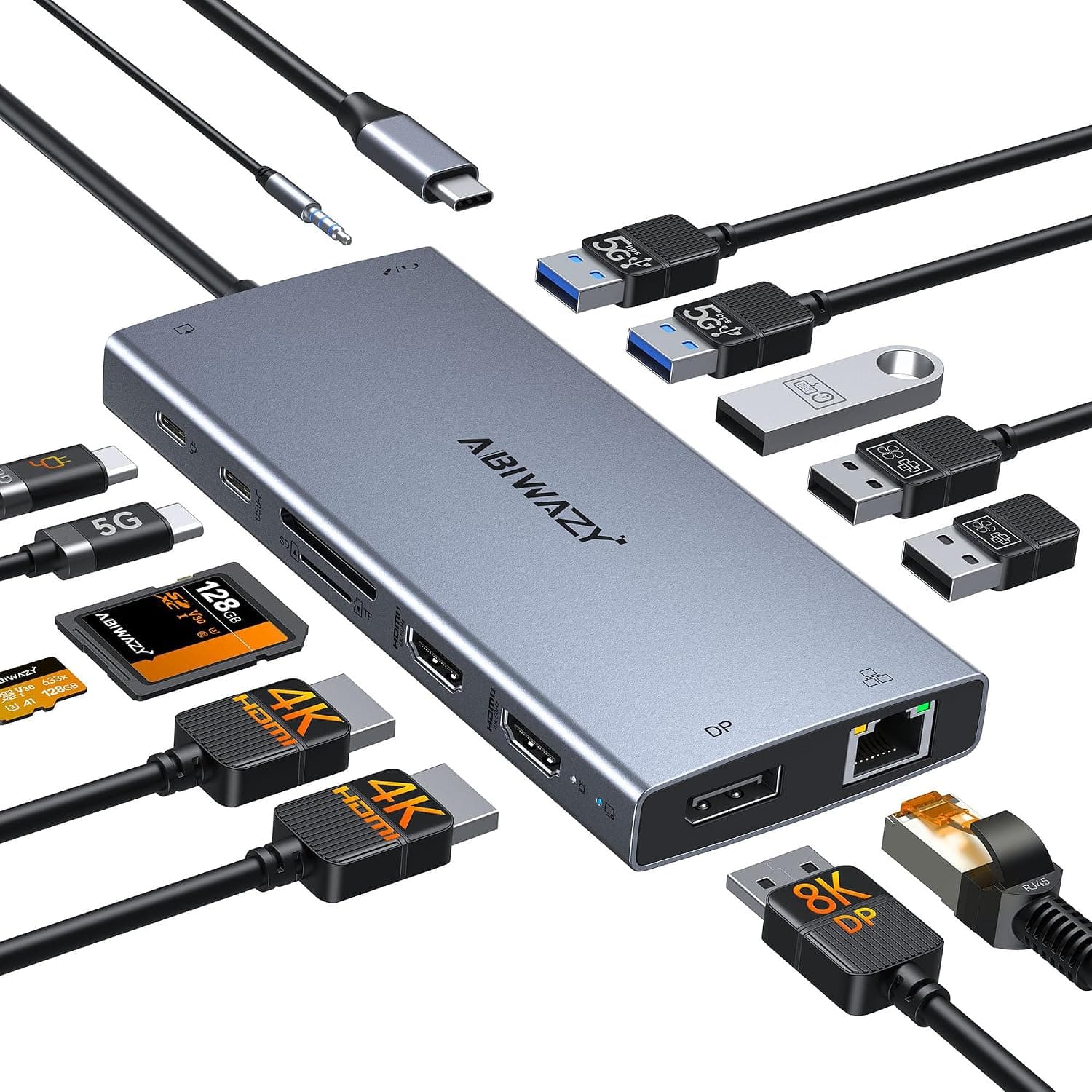
Reviewers value the wide port selection (HDMI, DisplayPort, VGA, Ethernet, SD, USB-A, headphone jack) and report it works reliably across Lenovo, HP, Microsoft, and Asus laptops, with some buying a second unit.
The main watch-out
Some users report the monitor going black when bumped, intermittent disconnects, or the internals sliding out of the case, and one Lenovo laptop would not boot while connected.
Before you choose
Compatibility varies by laptop model, and some users note the dock gets warm or has a shorter cable, so confirm your specific setup and required ports before buying.
Your use case first
14 of 120 mentions describe a negative experience (12%).
12 of 46 mentions describe a negative experience (26%).
1 of 16 mentions describe a negative experience (6%).
1 of 12 mentions describe a negative experience (8%).
0 of 11 mentions describe a negative experience (0%).
22 of 61 mentions describe a negative experience (36%).
8 of 15 mentions describe a negative experience (53%).
10 of 13 mentions describe a negative experience (77%).
One review can mention several topics. Percentages describe the reviews we analysed, not all buyers or the product's overall failure rate.
From a similar, more-reviewed product in this category: USB C Laptop Docking Station Dual Monitor HDMI USB C Hub Multiport Adapter
28 of 128 mentions describe a negative experience (22%).
10 of 61 mentions describe a negative experience (16%).
7 of 43 mentions describe a negative experience (16%).
6 of 42 mentions describe a negative experience (14%).
87 of 252 mentions describe a negative experience (35%).
30 of 69 mentions describe a negative experience (43%).
21 of 33 mentions describe a negative experience (64%).
32 of 39 mentions describe a negative experience (82%).
Compare the trade-offs
A random selection of analyzed products from the same category. Different products are not necessarily interchangeable.

iVANKY 4K@144Hz Steam Deck Dock, 8-in-1 Docking Station for ASUS ROG Ally X/Legion Go/MSI Claw, ROG Alloy/Valve Stream Deck OLED Hub, HDMI 2.1, 1Gbps Ethernet, 3*USB-A 3.0, 100W Charge

ACASIS Dual DP DisplayLink Adapter for M1/M2/M3/M4 MacBook Air/Pro

Switch 2 Dock Station for Nintendo Switch 2 Dock with 4K HDMI&Card Storage
Check the evidence
Included does not mean verified authentic. Flagged does not mean proven fake. These are analytical classifications.
Showing 3 illustrative excerpts, not the complete review set.
Great choice for an inexpensive docking station
“Only had this for a few days. Bought it to simplify unplugging my laptop to use it in other rooms or other places. I was previously running 2 USB hubs (1 USB-A and 1 USB-C). I’m running the factory power supply which I believe is 65W (Lenovo idea pad 5). I was able to plug in everything into this hub, including video adapters (old USB-A Pluggables) for four monitors and the audio jack, etc. I don’t use any HDMI ports due to the age of my monitors and wire direction convenience (and I’m not a gamer). I am surprised that it works flawlessly so far and….. I think I have noticed an improvement in overall laptop performance (video response). I can now easily unplug one multi-port hub and take my laptop on the go !! Would definitely recommend this to others with the same needs !!”
Signals matched: Specific detail: quantity, entity, scenario, process · Mentions: ports, connectivity, functionality · Reads as an authentic voice
Mostly works
“I have an old ASUS zenbook pro with a USB_C/thunderbolt port. The HDMI port went bad so i got this. The HDMI port works great and is plug and play. However there are a few minor annoyances with the other functions. This has two USB-C ports, but one is charge only, however it does not charge my phone. So effetely i only have one useful port, luckily the data transfer one which is fast and works fine, but two would be better as opposed to the charge only port which doesn't work for me. Second, you can't use both the SD and micro-SD slot at the same time. Overall i think it's a good product, but could use some improvements, mainly two USB-C data ports.”
Signals matched: Specific detail: entity, scenario, comparison · Mentions: ports, functionality, connectivity · Reads as an authentic voice
Great for Windows laptop
“Works great for laptop and 2 additional monitors, as long as you are using Windows OS. Just know that the USB-C port won't charge devices without an external power supply, and the hub does not come with one. Not sure what the specs for a compatible supply are, but the hub can deliver up to 87 watts with a 100 watt power supply.”
Signals matched: Specific detail: quantity, entity, scenario · Mentions: ports, connectivity, functionality · Reads as an authentic voice
One less thing to search
Yes. Reviewers report it working with two additional monitors for a Windows workstation, and the listing describes dual 4K display support. Note that for Apple devices the listing states it only supports SST mode, so both monitors show the same image.
One reviewer found the charge-only USB-C port did not charge their phone, and another noted the USB-C port won't charge devices without an external power supply, which is not included. The listing states the hub supports 100W PD charging and can deliver up to 87W with a 100W power supply.
Some reviewers report it gets a little warm or very hot during use, though they still describe it as working well overall.
The listing requires a fully functional USB-C port (supporting DisplayPort, PD charging, and data transfer) or Thunderbolt 3/4 or USB4.0, and provides a compatible and incompatible model list, noting some ThinkPad AMD graphics configurations may not be compatible.
Reviewers describe it as plug and play, working perfectly right out of the box, with one noting the HDMI port worked great and was plug and play.
From a similar, more-reviewed product in this category: USB C Laptop Docking Station Dual Monitor HDMI USB C Hub Multiport Adapter
It is compatible with laptops that have a full-featured USB-C port supporting DisplayPort, charging, and data transfer, such as Thunderbolt 3/4/5 or USB-C 3.2 Gen 1/Gen 2 with Power Delivery and DisplayPort. Not all USB-C devices are compatible, and incompatible devices cannot use the HDMI, DP, or VGA ports.
It supports dual monitors and triple displays for Windows, with single HDMI 1 or DisplayPort up to 4K@60Hz and HDMI 2 up to 4K@30Hz. MacBook laptops only support the same image on external monitors.
Yes, it has a 100W USB-C Power Delivery port, but the safe power out is limited to 87W, and about 8W is allocated to the hub itself. A power charger and cable are not included, and at least a 65W adapter is recommended.
Experiences vary: one reviewer said it disconnects or does not work off and on and that the insides came apart, while another said bumping it can make the monitor go black for a second or two. Others reported it works well, including one who bought a second one.
One reviewer noted it gets a little warm, and the listing states the hub will heat up when it works, with 0℃–50℃ being the normal and reasonable range.
Answers are limited to the manufacturer's listing and the reviews we analysed. Questions those sources cannot support are not answered here.
Transparent by design