
iVANKY 4K@144Hz Steam Deck Dock, 8-in-1 Docking Station for ASUS ROG Ally X/Legion Go/MSI Claw, ROG Alloy/Valve Stream Deck OLED Hub, HDMI 2.1, 1Gbps Ethernet, 3*USB-A 3.0, 100W Charge
Description
【30W Turbo Mode for ROG Ally X】This ROG Ally dock station is of wide compatibility and supports devices like ROG Ally. Upgrade your BIOS to version 323 and experience seamless compatibility with the 30W Turbo Mode of your ROG Ally. Unleash the full potential of your gaming device. To avoid HDMI mirroring issues and enhance your extended display experience, we strongly recommend updating the firmware of the dock. For detailed instructions, please refer to the video guide.; 【8-IN-1 Gaming Docking Station】This Steam Deck OLED Dock boasts an ultimate 6-in-1 connectivity. Featuring a 4K@144Hz HDMI port, a 1Gbps Ethernet port, three 5Gbps USB-A 3.0 ports, and a rapid-charging USB-C port,it delivers stable power to keep your device’s battery charged during gameplay, this dock can perfectly complement your Type-c gaming console. The two equipped joystick caps can protect your joysticks from external friction and scratches.Dock Deck to your TV and play games on the couch with your favorite wireless controllers.; 【Immense 4K@144Hz Display】The Legion Go Docking Station will provide you with an immersive gaming experience. Enjoy a stunning and smooth visual experience with HDMI 2.1 output when it is connected to an external 4K monitor. Elevate your gaming graphics to the next level; 【Full Charging Speed】Supporting up to 100W power delivery, this docking station ensures your Type-C game device charges at maximum speed. Note: Steam Deck max charging speed is 45W, while ROG Ally reaches 65W; 【Product Guarantee】You can get a 8-in-1 4K HDMI monitors Display game console dock with 18-month worry-free warranty and responsive customer service. If you meet any problems with the dock, we will be glad to replace you with a new one for free
Compare the trade-offs
Similar products, side by side
A random selection of analyzed products from the same category. Different products are not necessarily interchangeable.

RayCue USB C Docking Station, 13-Port Dual 4K Display Laptop Docking Station with 160w Max USB-C Output, 2.26''LCD Smart Display, 10Gbps USB A/C Ports,Ethernet Ports for macOS and Windows
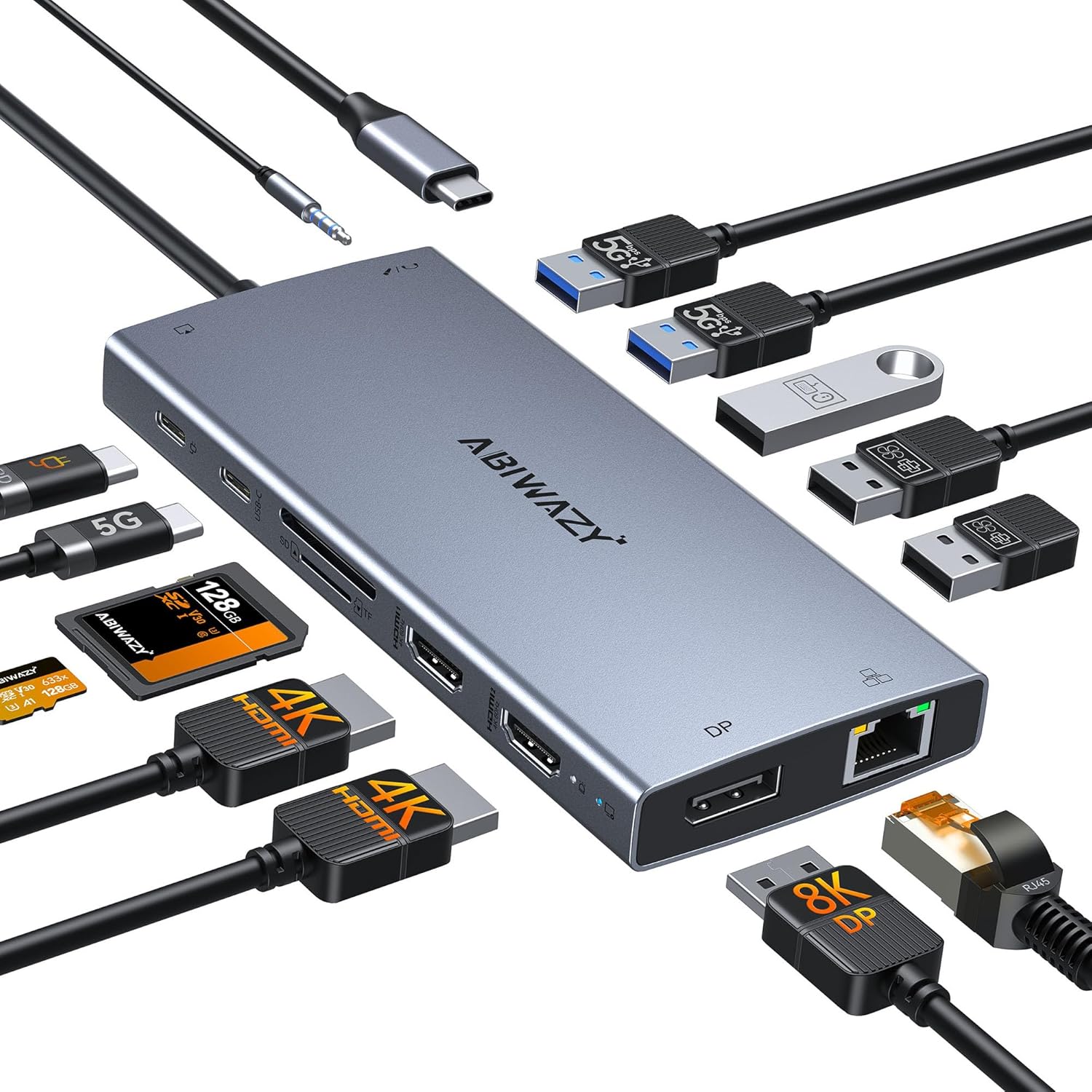
USB C Docking Station Dual Monitor, ABIWAZY 15 in 1 Laptop Docking Station

MOKiN USB C Splitter for Dual Monitors 4K@60Hz DP Alt Mode for Laptops
One less thing to search
Before you buy: quick questions
Does this dock deliver the full 100W charging it advertises to my handheld?
For most devices like the ROG Ally or Steam Deck, yes—it provides ample power for simultaneous play and charging. However, a few users on tech forums note that if you're maxing out *all* the ports (USB, Ethernet, HDMI at high resolution), the power draw might be shared, resulting in slightly slower charging. For typical use with one or two peripherals, the 100W PD passthrough is reliable.
I'm sensitive to screen tearing. Does this dock support VRR (Variable Refresh Rate/FreeSync/G-Sync)?
No, it does not. This is a common point discussed by enthusiasts on Reddit. While the dock excels at providing a stable 4K@144Hz signal, it does not pass through VRR technology. If eliminating screen tearing in fast-paced games is a top priority, you may want to consider alternatives like the official ASUS ROG Ally Dock.
How secure is the fit for devices with large kickstands, like the Lenovo Legion Go?
The dock fits the Legion Go, but it requires careful placement due to the device's central kickstand. Some users mention the cutout for the USB-C cable can feel a bit narrow, so aligning your device squarely is key to avoid putting lateral pressure on the port. Once seated, the weighted base keeps it very stable.
The product says HDMI 2.1. Can it do 4K@120Hz with HDR on my Steam Deck?
This is an important clarification. The dock uses an HDMI 2.1 TMDS port, which supports the 4K@144Hz refresh rate as advertised, but does *not* support the full 48Gbps bandwidth required for features like 4K@120Hz with 10-bit HDR simultaneously. It's perfect for high refresh rate gaming or 4K HDR video at 60Hz, but hardcore console gamers looking for the full HDMI 2.1 feature set have noted this distinction in reviews.
Is iVANKY a trustworthy brand, and what if I have an issue with the dock?
iVANKY has built a strong reputation in the accessory space for solid build quality and reliability, as reflected in the over 1,200 positive reviews for this dock. They offer an 18-month warranty. While not as large as brands like Anker, their customer support is generally responsive. Many TikTok and YouTube reviewers have highlighted the "plug-and-play" reliability and premium feel as reasons to trust the product.
From a similar, more-reviewed product in this category: USB C Laptop Docking Station Dual Monitor HDMI USB C Hub Multiport Adapter
Will this docking station work with my laptop?
It is compatible with laptops that have a full-featured USB-C port supporting DisplayPort, charging, and data transfer, such as Thunderbolt 3/4/5 or USB-C 3.2 Gen 1/Gen 2 with Power Delivery and DisplayPort. Not all USB-C devices are compatible, and incompatible devices cannot use the HDMI, DP, or VGA ports.
Can I use it with multiple monitors?
It supports dual monitors and triple displays for Windows, with single HDMI 1 or DisplayPort up to 4K@60Hz and HDMI 2 up to 4K@30Hz. MacBook laptops only support the same image on external monitors.
Does it charge my laptop while I use the other ports?
Yes, it has a 100W USB-C Power Delivery port, but the safe power out is limited to 87W, and about 8W is allocated to the hub itself. A power charger and cable are not included, and at least a 65W adapter is recommended.
Do reviewers find it reliable?
Experiences vary: one reviewer said it disconnects or does not work off and on and that the insides came apart, while another said bumping it can make the monitor go black for a second or two. Others reported it works well, including one who bought a second one.
Does it get hot during use?
One reviewer noted it gets a little warm, and the listing states the hub will heat up when it works, with 0℃–50℃ being the normal and reasonable range.
Answers are limited to the manufacturer's listing and the reviews we analysed. Questions those sources cannot support are not answered here.
Transparent by design