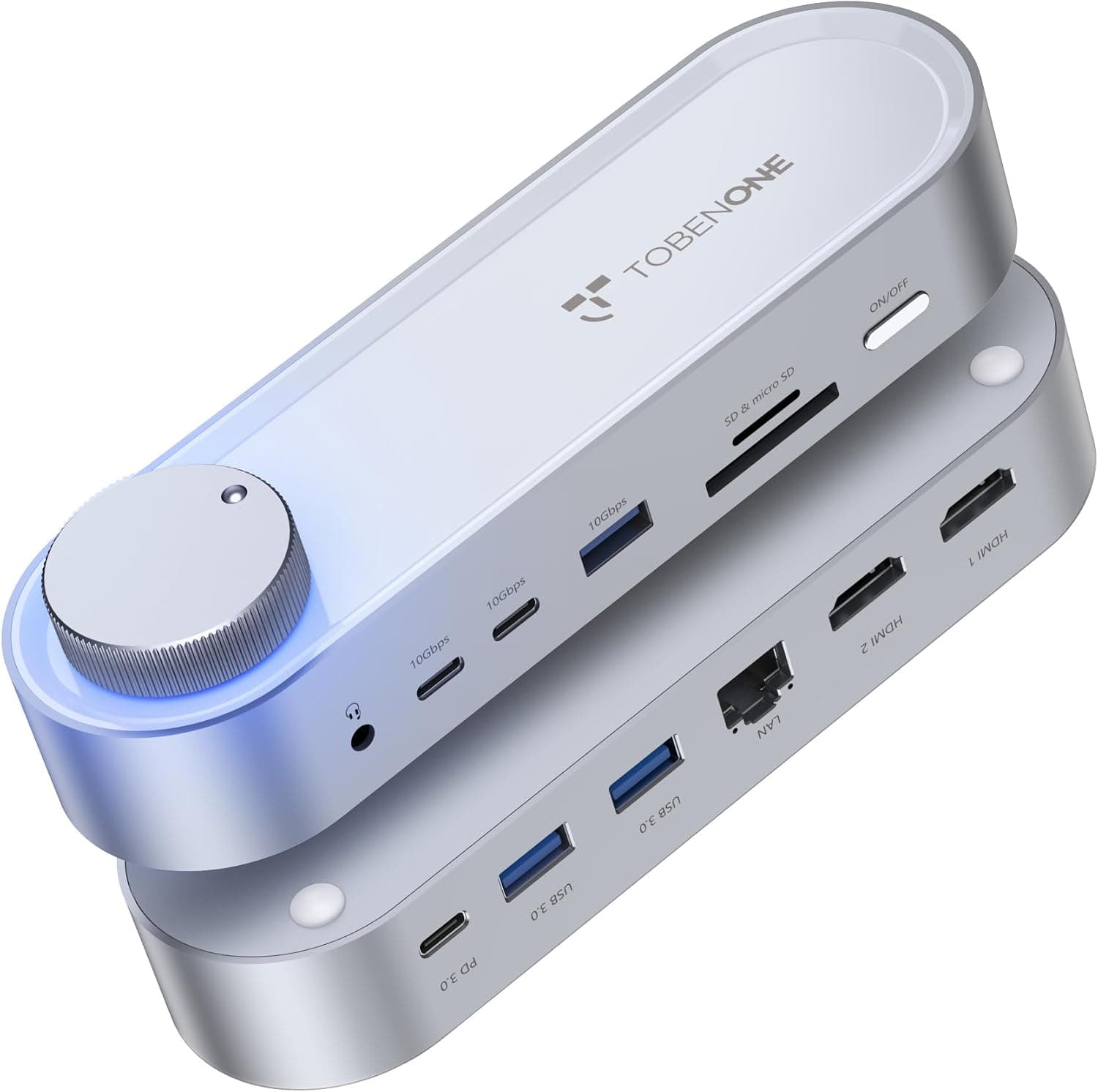
TobenONE USB C Laptop Docking Station Dual Monitor, 100W PD, 5×USB 10Gbps
Description
Dual 4K@60Hz HDMI Outputs — Crisp, expansive, and built for multitasking. Pair two external monitors with your laptop to create a triple-screen workspace. Keep communication on one, active work on another, and references on the third. Less switching. More doing. Ideal for video editing, financial analysis, spreadsheet-heavy work. 100W PD Pass-through Charging: Keep your laptop fully powered while running the laptop docking station. Just plug in your existing USB-C charger (65W or higher) to transfer power, video, and data through the computer docking station. Ditch redundant chargers and tangled wires for seamless video calls and all-day working efficiency. Note: Power adapter is not bundled. 15-in-1 Versatile Hub: This USB-C docking station supercharges your workspace with ultimate connectivity. Transfer large files in seconds via 5 fast ports (2×USB-C 10Gbps, 1×USB-A 10Gbps, 2×USB-A 5Gbps) and SD/microSD 3.0 readers. Enjoy lag-free cloud work and video calls with Gigabit Ethernet, giving you everything you need in a laptop dock. Physical Volume Knob — A rare feature on most docking station. Adjust audio levels directly without navigating system menus or clicking tiny desktop icons. Easily turn down volume for quiet mute during video calls or fine-tune sound while editing. This intuitive knob streamlines your workflow and boosts daily productivity. Wide Compatibility & 2-Year Warranty: This TobenONE UDS059 docking station is compatible with Dell, HP, Lenovo, Surface, ASUS, Acer, and all Windows/Chrome OS/Linux laptops featuring USB-C or Thunderbolt 3/4 ports. Enjoy driver-free plug-and-play with instant dual-monitor detection. Backed by a 2-year warranty and lifetime technical support for seamless setup and troubleshooting.
Compare the trade-offs
Similar products, side by side
A random selection of analyzed products from the same category. Different products are not necessarily interchangeable.

SABRENT Docking Station for Asus ROG Ally, 6-Port USB Type-C, 4K@60Hz HDMI, 5Gbps USB Ports, Power Delivery, Compact Design for Gaming (DS-RA6P)

RayCue USB C Docking Station, 13-Port Dual 4K Display Laptop Docking Station with 160w Max USB-C Output, 2.26''LCD Smart Display, 10Gbps USB A/C Ports,Ethernet Ports for macOS and Windows
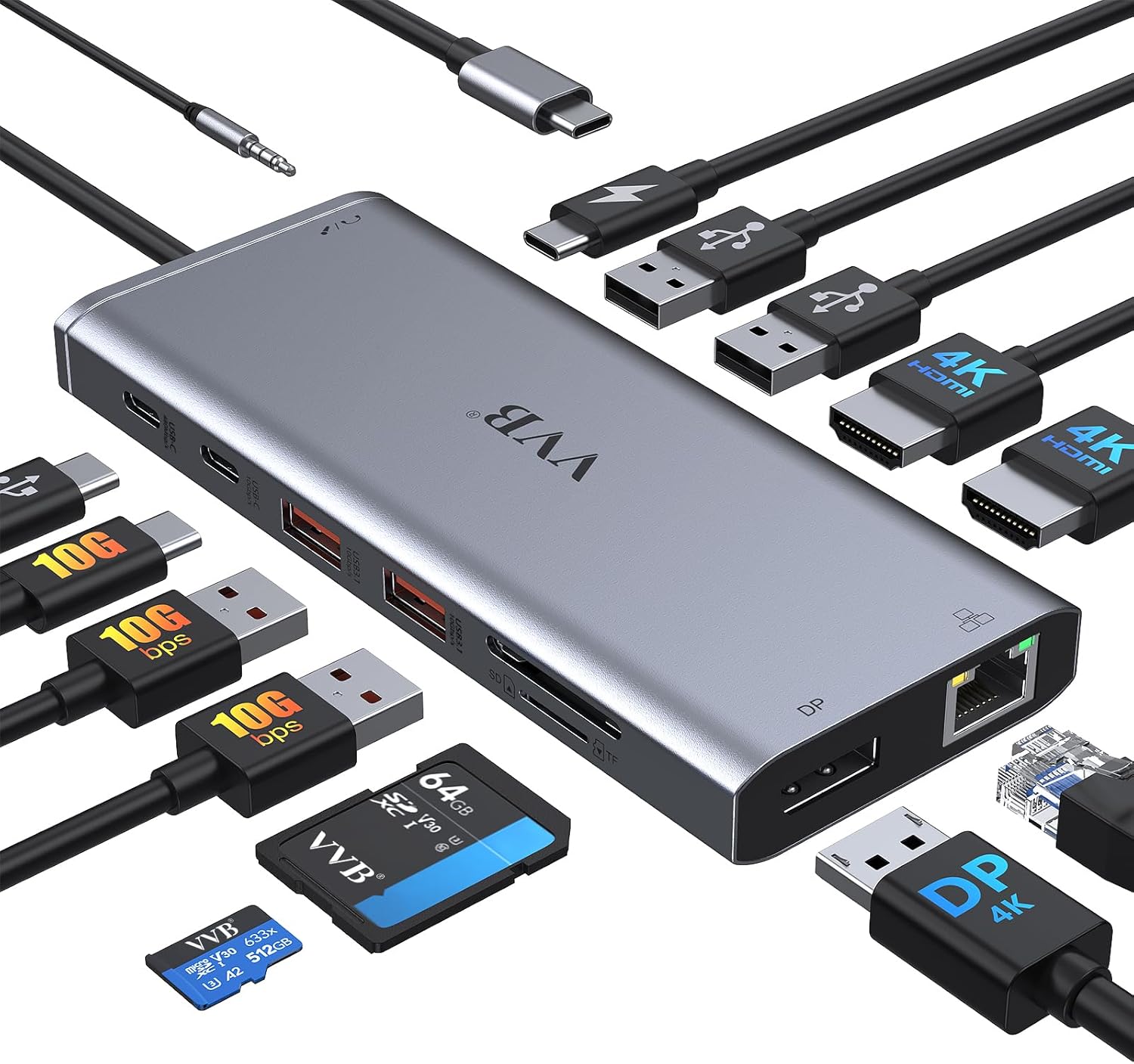
USB C Laptop Docking Station Dual Monitor HDMI USB C Hub Multiport Adapter
One less thing to search
Before you buy: quick questions
Will this dock give me dual monitors on my MacBook without any setup?
Not always out of the box. On M1, M2, and M3 Macs, dual external displays require installing the DisplayLink driver — macOS doesn't support dual monitors over a single USB-C connection natively. Windows laptops with DP Alt Mode usually work plug-and-play. Many Reddit users recommend confirming your exact laptop model supports DP Alt Mode before ordering, since that's the single most common reason for returns.
Does the 100W power delivery actually charge my laptop at full speed?
It delivers up to 100W to your laptop, but that figure assumes you're not simultaneously drawing heavy power through the other ports. Plug in an external SSD, a phone, and a webcam, and your laptop will see somewhat less. For most 13"–16" ultrabooks this is still plenty to charge while working; for power-hungry gaming laptops, expect slower top-ups.
Are the five USB ports really 10Gbps, and is the build quality solid?
Yes — the 10Gbps rating is genuine, and users consistently report external SSDs performing at near-internal speeds. The aluminum chassis feels premium and stays put on a desk, though several YouTube reviewers note it runs warm during long dual-4K sessions. That's normal for a passively cooled dock, not a defect.
What if it doesn't work with my laptop — can I return it?
Return eligibility depends on the retailer, but most buyers report a standard 30-day window. Before returning, it's worth checking two things: that your USB-C port supports DP Alt Mode, and that you've installed the latest DisplayLink driver. A surprising number of "dead dock" complaints on TikTok turn out to be missing drivers rather than faulty hardware.
Who is this dock best suited for, and who should look elsewhere?
It's an excellent fit for Windows laptop users who want a clean one-cable desk setup with fast storage transfers and dual monitors. It's a weaker match for MacBook owners who want zero-configuration dual displays, or for anyone running two 4K60 panels plus a heavy peripheral load — those users typically end up happier with a Thunderbolt dock like the CalDigit TS4, which costs considerably more but avoids the DisplayLink workaround entirely.
From a similar, more-reviewed product in this category: USB C Laptop Docking Station Dual Monitor HDMI USB C Hub Multiport Adapter
Will this docking station work with my laptop?
It is compatible with laptops that have a full-featured USB-C port supporting DisplayPort, charging, and data transfer, such as Thunderbolt 3/4/5 or USB-C 3.2 Gen 1/Gen 2 with Power Delivery and DisplayPort. Not all USB-C devices are compatible, and incompatible devices cannot use the HDMI, DP, or VGA ports.
Can I use it with multiple monitors?
It supports dual monitors and triple displays for Windows, with single HDMI 1 or DisplayPort up to 4K@60Hz and HDMI 2 up to 4K@30Hz. MacBook laptops only support the same image on external monitors.
Does it charge my laptop while I use the other ports?
Yes, it has a 100W USB-C Power Delivery port, but the safe power out is limited to 87W, and about 8W is allocated to the hub itself. A power charger and cable are not included, and at least a 65W adapter is recommended.
Do reviewers find it reliable?
Experiences vary: one reviewer said it disconnects or does not work off and on and that the insides came apart, while another said bumping it can make the monitor go black for a second or two. Others reported it works well, including one who bought a second one.
Does it get hot during use?
One reviewer noted it gets a little warm, and the listing states the hub will heat up when it works, with 0℃–50℃ being the normal and reasonable range.
Answers are limited to the manufacturer's listing and the reviews we analysed. Questions those sources cannot support are not answered here.
Transparent by design