Was Kunden gut finden
Sturdy, responsive, reliable connections
Reviewers praise the solid build, responsive scissor keys, and stable wired and Bluetooth connections.
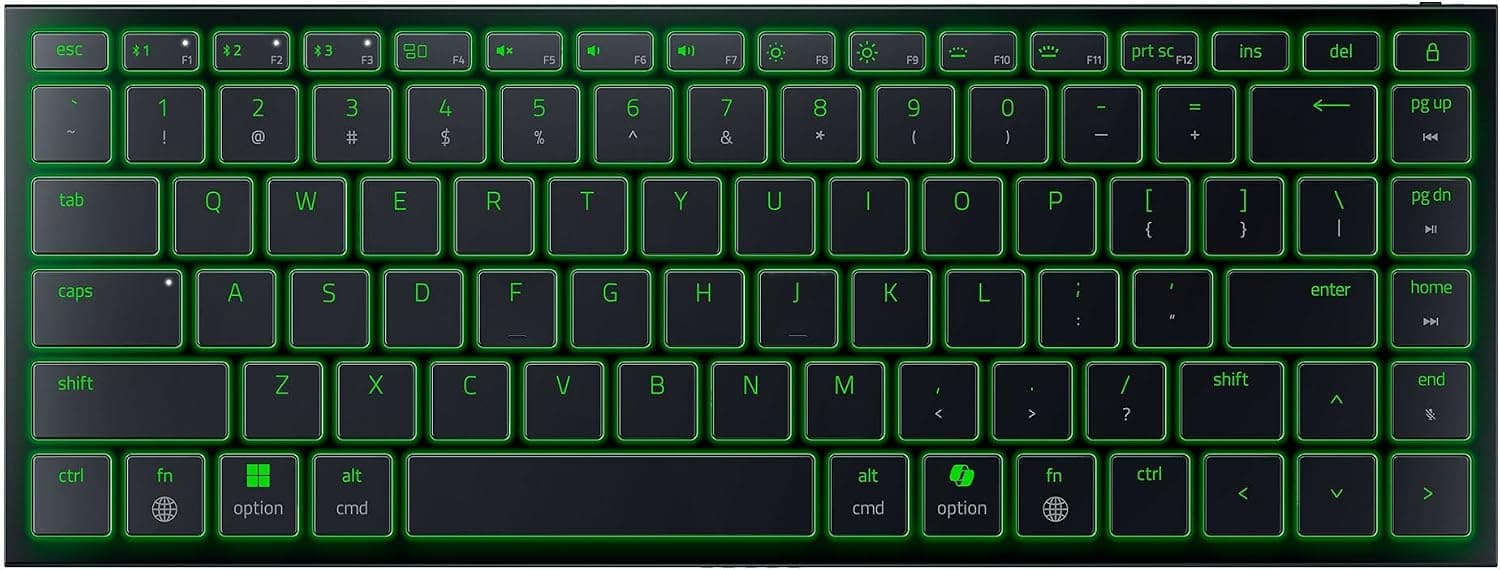
Unser Kauf-Fazit
A solid compact typing keyboard, with sleep and software limitations the main concerns.
Buyers who want a compact, quiet, laptop-style keyboard for typing and light gaming on the go.
Steam Deck or SteamOS users, and anyone who needs reliable wake-from-sleep typing or clear backlit legends.
Die 30-Sekunden-Lektüre
Was Kunden gut finden
Reviewers praise the solid build, responsive scissor keys, and stable wired and Bluetooth connections.
Der wichtigste Vorbehalt
One reviewer reports the keyboard sleeps after 5-10 minutes idle, so the first keys typed are missed; battery life without lights is also a concern.
Bevor Sie sich entscheiden
Synapse software needs broad input permissions, and there's no SteamOS version, limiting Fn-lock and key customization on some setups.
Von einem ähnlichen Produkt mit mehr Bewertungen in dieser Kategorie: Keychron K4 HE 96% Wireless Hall Effect Keyboard with Number Pad, Rapid Trigger Magnetic Switches, QMK Launcher, 2.4GHz/Bluetooth/Wired, Mac & Windows, Wood Accent Frame, Black (Non-Shine-Through)
Was Kunden gut finden
Many reviewers praise the satisfying key feel, smooth typing, and pleasant creamy or thocky sound. Several also highlight the premium build quality and customization options.
Der wichtigste Vorbehalt
One reviewer reported both 2.4GHz and Bluetooth failing within a month and poor customer support. Another described random key failures and connectivity problems.
Bevor Sie sich entscheiden
The 96% layout with numpad and arrow keys feels cluttered to some, and reviewers note it takes time to get used to, especially coming from a standard keyboard.
Erst dein Anwendungsfall
9 von 35 Erwähnungen beschreiben eine negative Erfahrung (26 %).
2 von 13 Erwähnungen beschreiben eine negative Erfahrung (15 %).
2 von 11 Erwähnungen beschreiben eine negative Erfahrung (18 %).
0 von 8 Erwähnungen beschreiben eine negative Erfahrung (0 %).
4 von 13 Erwähnungen beschreiben eine negative Erfahrung (31 %).
5 von 12 Erwähnungen beschreiben eine negative Erfahrung (42 %).
5 von 11 Erwähnungen beschreiben eine negative Erfahrung (45 %).
9 von 11 Erwähnungen beschreiben eine negative Erfahrung (82 %).
Eine Rezension kann mehrere Themen ansprechen. Die Prozentsätze beziehen sich auf die von uns analysierten Rezensionen, nicht auf alle Käufer oder die allgemeine Ausfallrate des Produkts.
Von einem ähnlichen Produkt mit mehr Bewertungen in dieser Kategorie: Keychron K4 HE 96% Wireless Hall Effect Keyboard with Number Pad, Rapid Trigger Magnetic Switches, QMK Launcher, 2.4GHz/Bluetooth/Wired, Mac & Windows, Wood Accent Frame, Black (Non-Shine-Through)
7 von 33 Erwähnungen beschreiben eine negative Erfahrung (21 %).
2 von 12 Erwähnungen beschreiben eine negative Erfahrung (17 %).
2 von 10 Erwähnungen beschreiben eine negative Erfahrung (20 %).
1 von 8 Erwähnungen beschreiben eine negative Erfahrung (13 %).
1 von 8 Erwähnungen beschreiben eine negative Erfahrung (13 %).
4 von 12 Erwähnungen beschreiben eine negative Erfahrung (33 %).
4 von 10 Erwähnungen beschreiben eine negative Erfahrung (40 %).
4 von 7 Erwähnungen beschreiben eine negative Erfahrung (57 %).
Vor- und Nachteile vergleichen
Eine zufällige Auswahl analysierter Produkte aus derselben Kategorie. Unterschiedliche Produkte sind nicht zwangsläufig austauschbar.
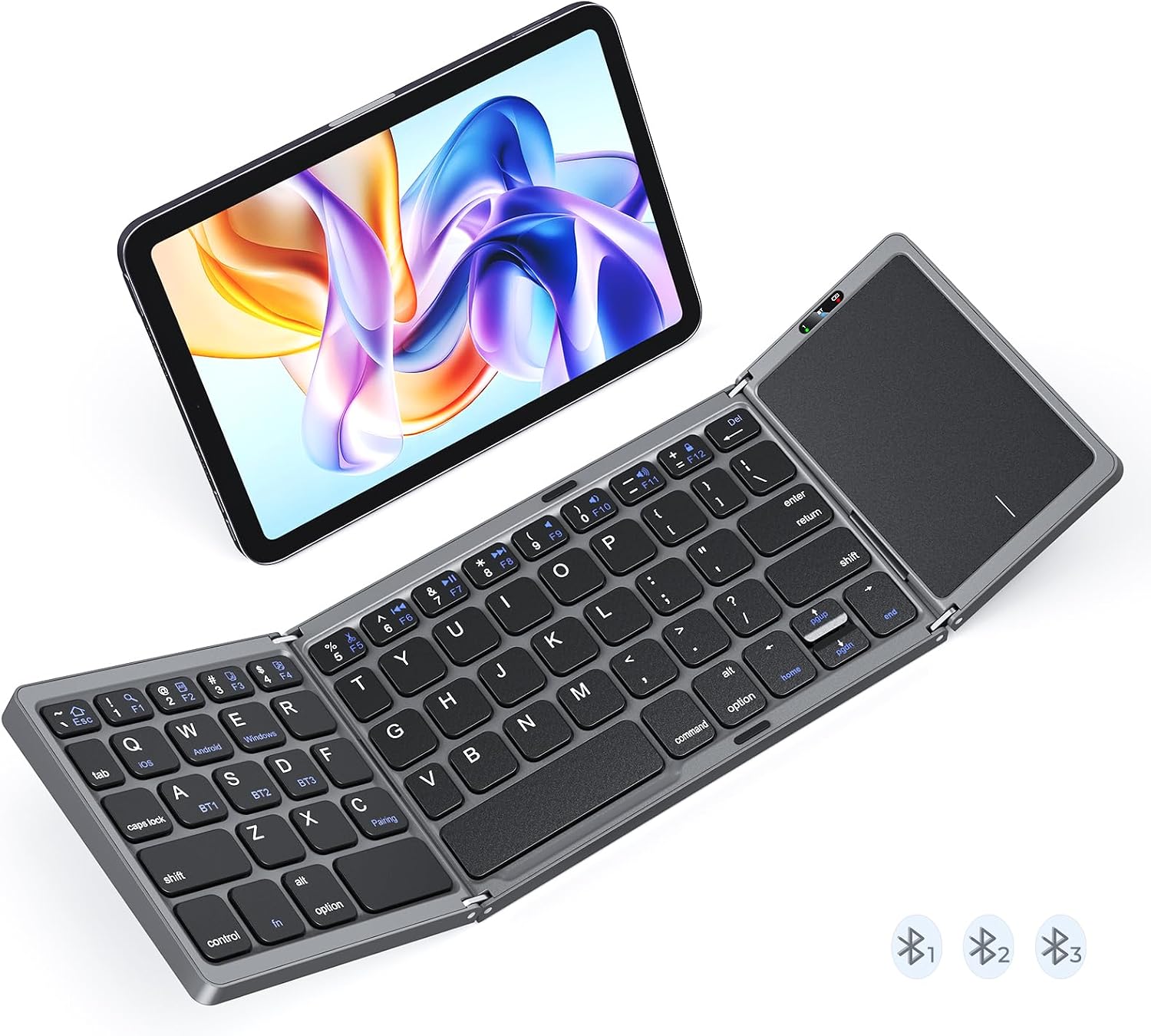
MEETION Foldable Bluetooth Keyboard with Touchpad, Portable Wireless, Gray

TSQQST Wireless Bluetooth Foldable Keyboard with Touchpad, Black

Keychron K4 HE 96% Wireless Hall Effect Keyboard with Number Pad, Rapid Trigger Magnetic Switches, QMK Launcher, 2.4GHz/Bluetooth/Wired, Mac & Windows, Wood Accent Frame, Black (Non-Shine-Through)
Belege prüfen
Einbezogen bedeutet nicht als authentisch bestätigt. Markiert bedeutet nicht als Fälschung nachgewiesen. Dies sind analytische Einordnungen.
3 veranschaulichende Auszüge werden angezeigt, nicht der gesamte Rezensionsbestand.
Too expensive, but nearly perfect.
“This is my favorite type of keyboard to type on. The laptop-type scissor keys. I love them more than anything in the world. Perfect tactile feel and response to the fingers, quiet as silence... It's great. Please consider that this is MEANT to be taken with you, to be mobile. That's why it's built the way it is. That's why the angle of the keyboard is static (you either add risers or love it or hate it), why the keys are sorted the way they are, and why the lighting is limited compared to other Chroma keyboards (battery life on this thing is actually great!). These things are not bad at all. It's my favorite mobile keyboard, period. Though the lack of a dedicated 2.4Ghz dongle is strange... and their pairing to mouse dongles for 2.4Ghz REQUIRES the mouse, you can't just grab a second hand dongle and dedicate this keyboard to it, which is a shame. As strange as it is, it's not a dealbreaker for me. I know Razer won't read this, but what I would absolutely LOVE, which would make this my favorite keyboard of all time, would be to build a desktop version of this keyboard. Same key switches, same case material, but add full chroma RGB, add a dedicated 2.4Ghz dongle, keyboard risers, and finally, make it into a desktop keyboard form factor. My favorite being the TKL keyboard style. I would pretty much use that hypothetical keyboard forever. All in all, VERY good keyboard, a bit on the expensive side though. I just realized, the very original DeathStalker is essentially this in a desktop form factor... BRING IT BACK!!!”
Erkannte Signale: Konkretes Detail: comparison · Erwähnt: keyboard quality, portability, build quality · Liest sich wie eine authentische Stimme
Chiclet gaming keyboard with trade-offs. Worth $100 to you?
“My 1st day owning a $50 used Joro. Build is acceptable. I like the click of the keys. Feels Apple-y. I love that it has full size arrows for gaming and anti-ghosting was tested briefly. I haven't tested wireless yet. I like the Lock PC key. It lights white when FN is pressed, useful indicator. I was surprised/disappointed by some shortcomings in a $100 keeb: No hardware shortcut to quickly disable Win Key for gaming - but can use Razer Synapse app to disable Win key when game is detected. Lighting - the symbols and F keys don't light up! - bad for typing and some games. No media controls :( Maybe can add in Synapse app? VERY basic RGB. Only solid colors! Not even rainbow. No famous Chrome game interactivity. Fingerprints easily show on keys, it looks like you type with KFC fingers. There is no Function key lock so your function keys are not gonna be convenient. Understand - the key layout is different - takes getting used to. Right shift is tiny, the nav keys are easy to hit right next to backspace and enter. There's no gap, it's not forgiving. You're only paying $100 for the current niche that is a wireless chiclet 75% gaming keyboard (anti ghosting, full arrow keys, Razer Synapse macros/customization).”
Erkannte Signale: Konkretes Detail: quantity, entity, comparison, process · Erwähnt: build quality, keyboard quality, keyboard lighting, value for money · Liest sich wie eine authentische Stimme
Horrible
“I accidentally ordered this twice and now I remember why I sent this thing back. It’s horrible. There is a bad glow around the keys rather than through the keys letters making it hard to see unless the room is dark. The secondary punctuation symbols on the keys there is no shine though and you cannot see them without getting within inches of them. Also I’ve never seen keys that INSTANTLY look like they are years old because the minute You use it the keys get a shine on them even if your hands are clean and free of grease. They look like you typed on them after eating a greasy meal. Yes it wipes off but who wants to clean the keyboard every time you use it to keep it Looking new. I love the layout and ultra low profile but even if this was twenty bucks I’d be sending it back. Oh and razor software is HORRIBLE. It actually cause my peripheral devices to freeze and computer got slower and I have a very powerful pc. If you turn off it running in background some of the keyboard rgb setting and sleep stop working on the keyboard. Just horrible all around.”
Erkannte Signale: Konkretes Detail: comparison · Erwähnt: keyboard lighting · Liest sich wie eine authentische Stimme
Eine Sache weniger zu suchen
The listing states Bluetooth 5.0 with pairing for up to three devices across Windows, Mac, handhelds, and mobile, with shortcuts to switch between them. Reviews are mixed on wireless reliability: one reviewer reported stable, fast Bluetooth, while others reported connection problems and missed keystrokes after the keyboard sleeps.
The listing describes ultra low-profile switches with quick, precise actuation and satisfying tactile feedback. Reviewers who liked it compared the feel to laptop scissor keys and Apple-style chiclet keys, calling it quiet with good tactile response, though one noted the spacebar is small.
The listing says it weighs 374 g and is 16.5 mm thin with a full function row and full-sized arrow keys. Reviewers described it as sturdy and minimalist, and one noted the static angle is a deliberate trade-off for a keyboard meant to be carried around.
The listing advertises Chroma RGB with 16.8 million colors and dynamic effects. Reviewers reported a glow around the keys rather than through the lettering, secondary symbols that are hard to see, and one said the lighting stayed on while the PC was locked.
The listing ties Snap Tap and Chroma customization to Razer Synapse 4. Reviewers noted that some functions, such as turning off Fn lock to use F1–F12 directly, require Synapse, and one complained there is no Synapse software for SteamOS.
Von einem ähnlichen Produkt mit mehr Bewertungen in dieser Kategorie: Keychron K4 HE 96% Wireless Hall Effect Keyboard with Number Pad, Rapid Trigger Magnetic Switches, QMK Launcher, 2.4GHz/Bluetooth/Wired, Mac & Windows, Wood Accent Frame, Black (Non-Shine-Through)
Multiple reviewers describe it as near silent or having only a low level of noise, with one noting it was almost dead silent compared to a prior mechanical keyboard. Another calls it "not too loud, but just perfect linear."
The listing states it keeps most keys but with more condensed spacing, and reviewers confirm it takes time to get used to. One reviewer found the numpad/arrow key layout too cluttered and returned it, while another said the compact layout just takes time to adapt to.
Yes, the listing says the Launcher web app lets you remap keys, set macros, adjust actuation points, and toggle rapid trigger with no installation needed. Reviewers also mention adjustable features and excellent customization options.
Yes, the listing states it supports macOS and Windows with OS toggle support and extra system keycaps. One reviewer confirms it connects to their Mac via Bluetooth and works well.
No, the listing states the wood special edition keycaps are not shine-through, and the keycaps are OSA double-shot PBT.
Die Antworten beschränken sich auf das Angebot des Herstellers und die von uns analysierten Rezensionen. Fragen, die diese Quellen nicht abdecken, werden hier nicht beantwortet.
Transparent von Grund auf