
Dell SD25TB4 Pro Thunderbolt 4 Smart Dock - Supports 8k Display, 3 Years Warranty with 180W Adapter, HDMI, DisplayPort, Thunderbolt Cable, Cloth - USB C Docking Station Hub with Accessories
Description
Modular Dell Dock Design - Upgrade Your dell docking station effortlessly with dell thunderbolt dock SD25TB4 swappable module capability for easy upgrades and SuperBoost technologies for fast charging and Data Transfer at an incredible 40 GB/s, maximizing peripheral performance.; Multiply Productivity - Simplify your workspace with dell thunderbolt docking station 4K displays and Thunderbolt peripherals to your system with a single cable for ultimate productivity.; [Ports] - 2 x Thunderbolt-4 ports / 1 x USB-C 3.2 Gen 2 / 1 x USB-A 3.2 Gen 1 with PowerShare / 2 x DisplayPort 1.4 / 1 x HDMI 2.0 / 1 x USB-C Multifunction DisplayPort / 2 x USB-A 3.2 Gen 1 / 1 x Gigabit Ethernet RJ45 Port; [Power Supply & OS Compatibility] - 180W Power adapter / 120/230 V AC (50/60 Hz) / For macOS, Windows 10, Windows 11, Ubuntu OS
Compare the trade-offs
Similar products, side by side
A random selection of analyzed products from the same category. Different products are not necessarily interchangeable.

iVANKY 14-in-1 RGB Docking Station for ROG Xbox Ally X(2025)/X20, 4K@120Hz

USB C Adapter HDMI Hub for MacBook Pro/Air M5 M4 M3 M2 M1 2025-2018 13" 15" 16", Mac USB C Hub Adapter 7-in-2, MacBook Accessories Dongle with HDMI, Thunderbolt 3, USB C&A Data Ports, 3.5mm Audio
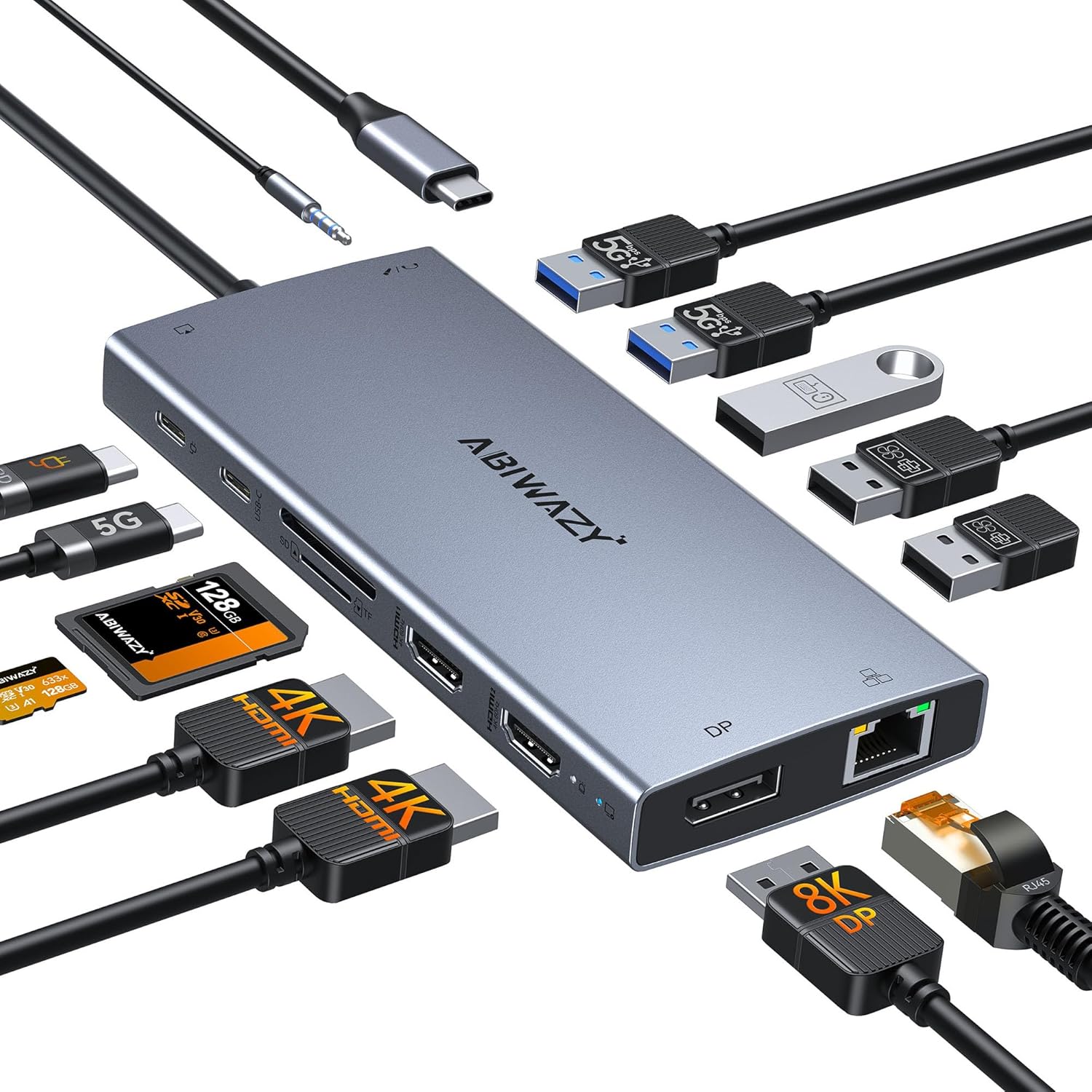
USB C Docking Station Dual Monitor, ABIWAZY 15 in 1 Laptop Docking Station
One less thing to search
Before you buy: quick questions
I have an Apple Silicon MacBook (M1/M2/M3). Will this dock work without issues?
While compatible, users on platforms like Reddit report that achieving full functionality with Macs may require manual driver updates from Dell's website for optimal performance. It works best out-of-the-box with Windows laptops, especially Dell models. For a more seamless Mac experience, some users recommend looking at brands like CalDigit or OWC.
Can I reliably run two 4K monitors at 60Hz with this dock?
Yes, this is one of its key strengths. The dock supports dual 4K displays at 60Hz simultaneously. However, the advertised 8K resolution typically applies to a *single* display using Display Stream Compression (DSC). For a dual high-resolution monitor setup, it performs excellently.
How is the build quality and cable? I've seen comments about it feeling bulky or the cable being stiff.
The dock has a solid, professional build typical of Dell's business-grade accessories. It is larger than some ultra-portable hubs, which aids in heat dissipation. The included Thunderbolt 4 cable is high-spec but can be stiff; this ensures signal integrity but means you should avoid sharp bends. Many reviewers appreciate that a quality cable is included at all.
What does the 3-year warranty cover, and is it valid if I use it with a non-Dell laptop?
Dell's 3-year warranty is a major advantage and covers defects in materials and workmanship. It is valid regardless of the laptop brand you connect it to, giving you long-term peace of mind. Be sure to register your product and keep your proof of purchase.
Who is this docking station best suited for?
It's ideal for hybrid professionals and power users with Windows or Dell laptops who need a permanent, full-featured desk setup with dual monitors, fast networking, and extensive ports. It's less ideal for those who prioritize ultra-portability or own Apple Silicon Macs expecting absolute plug-and-play without any potential driver setup.
From a similar, more-reviewed product in this category: USB C Laptop Docking Station Dual Monitor HDMI USB C Hub Multiport Adapter
Will this docking station work with my laptop?
It is compatible with laptops that have a full-featured USB-C port supporting DisplayPort, charging, and data transfer, such as Thunderbolt 3/4/5 or USB-C 3.2 Gen 1/Gen 2 with Power Delivery and DisplayPort. Not all USB-C devices are compatible, and incompatible devices cannot use the HDMI, DP, or VGA ports.
Can I use it with multiple monitors?
It supports dual monitors and triple displays for Windows, with single HDMI 1 or DisplayPort up to 4K@60Hz and HDMI 2 up to 4K@30Hz. MacBook laptops only support the same image on external monitors.
Does it charge my laptop while I use the other ports?
Yes, it has a 100W USB-C Power Delivery port, but the safe power out is limited to 87W, and about 8W is allocated to the hub itself. A power charger and cable are not included, and at least a 65W adapter is recommended.
Do reviewers find it reliable?
Experiences vary: one reviewer said it disconnects or does not work off and on and that the insides came apart, while another said bumping it can make the monitor go black for a second or two. Others reported it works well, including one who bought a second one.
Does it get hot during use?
One reviewer noted it gets a little warm, and the listing states the hub will heat up when it works, with 0℃–50℃ being the normal and reasonable range.
Answers are limited to the manufacturer's listing and the reviews we analysed. Questions those sources cannot support are not answered here.
Transparent by design