
USB C Adapter HDMI Hub for MacBook Pro/Air M5 M4 M3 M2 M1 2025-2018 13" 15" 16", Mac USB C Hub Adapter 7-in-2, MacBook Accessories Dongle with HDMI, Thunderbolt 3, USB C&A Data Ports, 3.5mm Audio
Description
[Latest Upgrade Mac HDMI Adapter]Custom designed for MacBook Air and MacBook Pro (13''–16'', 2018–2025). The dual-plug design connects securely to the left-side ports without blocking the MagSafe cable. Expands to 1 HDMI (4K@60Hz), 1 Thunderbolt 3/4, 3 USB-A, 1 USB-C data, and 3.5mm Audio. Note: This USB C dongle is not compatible with MacBook Pro cases; [MacBook Air HDMI Adapter Dual Monitor]Supports mirror or extend mode across two monitors – HDMI at 4K@60Hz and Thunderbolt 3 at 5K@60Hz. Connect to TV, monitor, or projector for high-quality image transmission. Note: M1/M2 support single display only; M3 supports dual display in Clamshell Mode; M4/Intel support full dual extended displays; [Full-Featured Thunderbolt 3 Port]This HDMI adapter for MacBook Air is equipped with a Thunderbolt 3 port that supports up to 100W power delivery for laptop charging or 15W downstream charging for phones, data transfer up to 40Gbps, and 5K@60Hz display output. Note: The four functions cannot be used simultaneously; [High-Speed File Transfer]This USB-C adapter for MacBook Air acts as a bridge between USB-A/C ports and your MacBook. The 3 USB-A ports and 1 USB-C port allow you to connect hard drives, printers, keyboards, mice, and other devices, while supporting data transfer speeds up to 5Gbps. It is backward compatible with USB 2.0 devices; [18 Month Warranty]Selore support 18 month product warranty, If you encounter any problems in use, please feel free to message us; [⚠️ Important – Check Your Mac Chip Before Purchase] Dual monitor support depends on your MacBook processor: M1/M2 – single display only; M3 – dual display ONLY in Clamshell Mode (lid closed); M4/M5/Intel – full dual extended display support. M1/M2 users: this adapter provides single 5K@60Hz output via Thunderbolt 3, not dual screens. Please verify your chip model before ordering
Compare the trade-offs
Similar products, side by side
A random selection of analyzed products from the same category. Different products are not necessarily interchangeable.

ACASIS Dual DP DisplayLink Adapter for M1/M2/M3/M4 MacBook Air/Pro
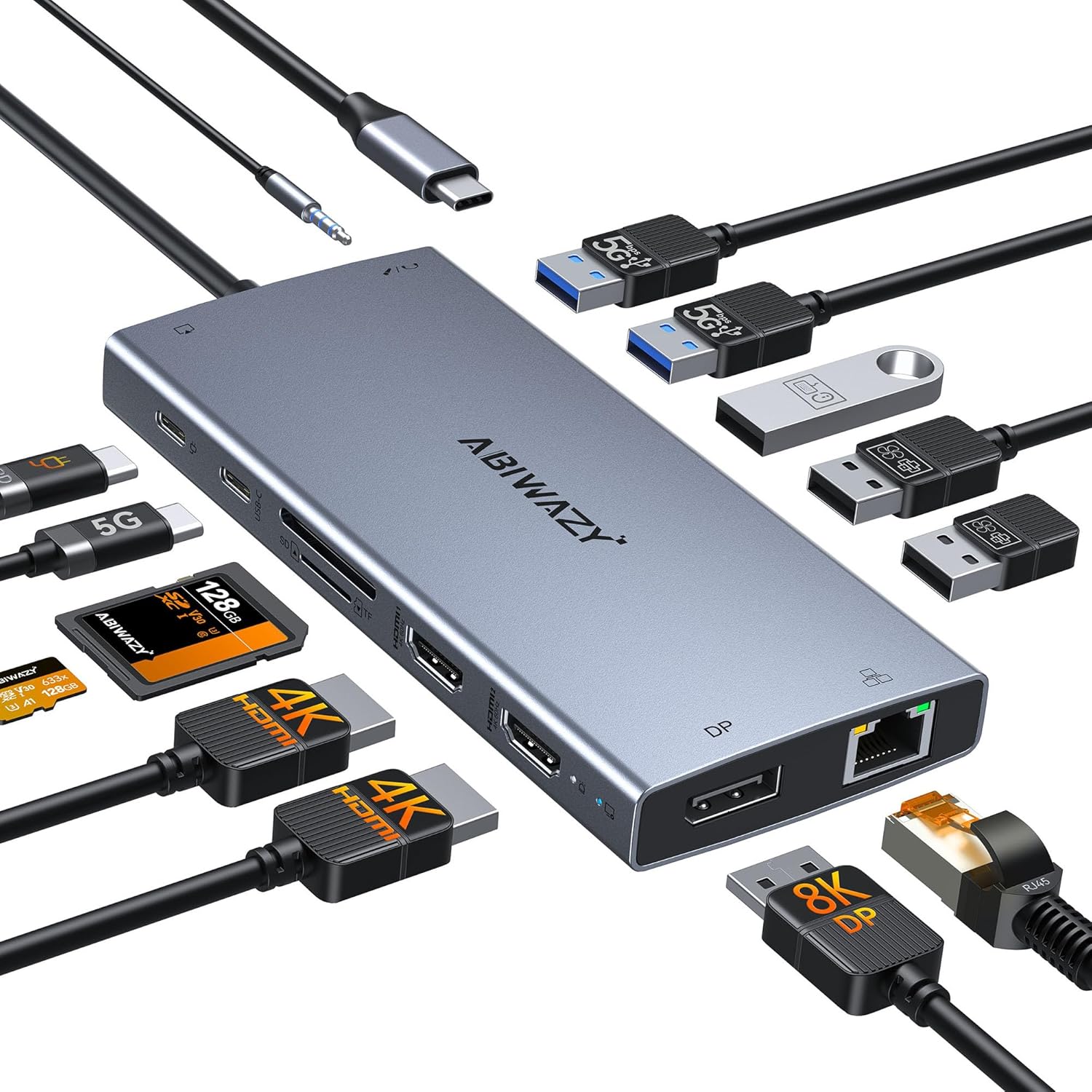
USB C Docking Station Dual Monitor, ABIWAZY 15 in 1 Laptop Docking Station

Dell SD25TB4 Pro Thunderbolt 4 Smart Dock - Supports 8k Display, 3 Years Warranty with 180W Adapter, HDMI, DisplayPort, Thunderbolt Cable, Cloth - USB C Docking Station Hub with Accessories
One less thing to search
Before you buy: quick questions
Will this USB-C hub work with my 2025 MacBook Air M4 or 2018 MacBook Pro?
Yes, this hub is compatible with all MacBook Pro and Air models from 2018 through 2025, including the latest M4, M3, M2, and M1 chips. It’s plug-and-play—no drivers needed. Just note that if you use a thick protective case on your laptop, the hub may not fit snugly into adjacent USB-C ports.
Can I charge my MacBook, stream 4K video, and transfer files all at the same time?
You can use the HDMI port for 4K@60Hz output while charging, but heavy simultaneous data transfer may slow charging speeds. The “7-in-2” design means the two Thunderbolt 3 ports share bandwidth. For light multitasking (charging + one external drive + display), it works great. For heavy workflows, many users recommend using separate cables.
I’ve seen complaints about overheating. Should I be worried?
The aluminum body does warm up during extended use, especially when charging and streaming simultaneously. This is normal for compact hubs. However, if it feels excessively hot to the touch (uncomfortable to hold for more than 5 seconds), unplug it and let it cool. For safety, avoid covering the hub or using it in direct sunlight.
Does the 3.5mm audio jack support headphones with a microphone?
The audio jack works well for standard headphones and external speakers. However, some TikTok users and reviewers noted that inline microphones on headsets may not function properly—you might experience static or no mic input at all. For voice calls or recording, we recommend using your MacBook’s built-in mic or a USB microphone instead.
What’s your return policy if I’m not satisfied, and how long does shipping take?
We offer a 30-day return window for a full refund or replacement. Shipping usually takes 5–8 business days within the US. If your hub has a defect (like a loose HDMI port or faulty audio jack), contact our support team—we’ll send a replacement quickly. Many buyers say the aluminum build feels premium, but if you’re not happy for any reason, we’ll help make it right.
From a similar, more-reviewed product in this category: USB C Laptop Docking Station Dual Monitor HDMI USB C Hub Multiport Adapter
Will this docking station work with my laptop?
It is compatible with laptops that have a full-featured USB-C port supporting DisplayPort, charging, and data transfer, such as Thunderbolt 3/4/5 or USB-C 3.2 Gen 1/Gen 2 with Power Delivery and DisplayPort. Not all USB-C devices are compatible, and incompatible devices cannot use the HDMI, DP, or VGA ports.
Can I use it with multiple monitors?
It supports dual monitors and triple displays for Windows, with single HDMI 1 or DisplayPort up to 4K@60Hz and HDMI 2 up to 4K@30Hz. MacBook laptops only support the same image on external monitors.
Does it charge my laptop while I use the other ports?
Yes, it has a 100W USB-C Power Delivery port, but the safe power out is limited to 87W, and about 8W is allocated to the hub itself. A power charger and cable are not included, and at least a 65W adapter is recommended.
Do reviewers find it reliable?
Experiences vary: one reviewer said it disconnects or does not work off and on and that the insides came apart, while another said bumping it can make the monitor go black for a second or two. Others reported it works well, including one who bought a second one.
Does it get hot during use?
One reviewer noted it gets a little warm, and the listing states the hub will heat up when it works, with 0℃–50℃ being the normal and reasonable range.
Answers are limited to the manufacturer's listing and the reviews we analysed. Questions those sources cannot support are not answered here.
Transparent by design